What Is DXtrade? The Prop-Firm Platform Explained — Editions, Limits, and How It Compares to MT5 and cTrader
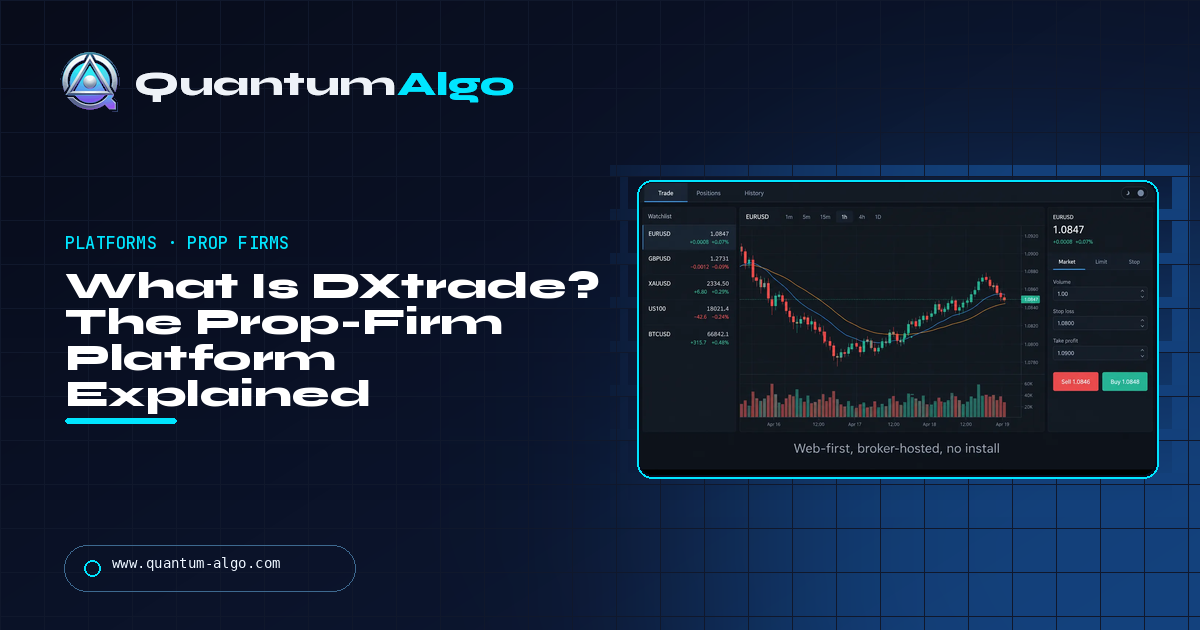
DXtrade is a web and mobile trading platform built by Devexperts (founded 2002) and sold to brokers and prop firms, never to traders — if you have a login, a firm gave it to you and controls the instruments, chart history and order types. It comes as DXtrade CFD (CFDs, spread bets, crypto), DXtrade XT (stocks, options, futures, funds, bonds) and a prop-trading edition with the evaluation engine built in, which is why so many firms adopted it after 2024. For traders it is a clean order ticket and risk dashboard with the standard indicator set, but no custom indicators, no on-platform EAs, no trailing stops or multiple take-profits, and copy trading only through integrated third-party copiers. If you analyse on TradingView it costs you nothing; if you script on the execution platform, choose MT5 or cTrader at checkout instead.
DXtrade appeared on prop-firm checkout pages almost overnight, and most traders met it the same way: as a third option beside MetaTrader and cTrader with no explanation of what it was. It is a platform built for the firm's side of the desk — hosting, risk controls, evaluation dashboards — that happens to be handed to traders, and once you see it that way its strengths and limits make sense. This page is who makes it and what the editions are, how you access and use it, exactly what it does and does not support for indicators, automation and copy trading, a straight comparison with MT5 and cTrader, a fit-check tool for your own process, and a session traded on it without missing anything.
Indicators that prove themselves in public.
One engine, four precision tools — the Gold (XAU) Scalper, the institutional Gravity Zone, the Zeno momentum Oscillator, and Zeno Stocks for equities.
What DXtrade is
DXtrade is a trading platform built by Devexperts, a financial-software company founded in 2002 that also makes the charting engine and back-office systems used by a long list of brokers. It is sold to brokers and prop firms, never to traders: Devexperts is not a broker, and you cannot open a DXtrade account with Devexperts any more than you can open a MetaTrader account with MetaQuotes. If you have a DXtrade login, a broker or a prop firm gave it to you, and that firm controls the instruments, the chart history, the order types that are switched on and the account itself.
There are three editions. DXtrade CFD is the one most traders meet: CFDs, spread bets and spot or margin crypto, the product forex and index prop firms run. DXtrade XT is the multi-asset version for regulated brokers — stocks, options, futures, mutual funds, bonds. And there is a prop-trading edition for futures and CFDs with the evaluation tooling — challenge phases, drawdown rules, dashboards — built into the platform, which is why so many firms adopted it. When FTMO added DXtrade beside MetaTrader and cTrader, and when firms like Tradeify chose it for crypto, the reason was that side of the desk, not the trader's.
That is the single most useful thing to understand about it. MetaTrader and cTrader are platforms traders chose and firms followed. DXtrade is a platform firms chose and traders are handed. It is good at what the firm needs — hosting, risk controls, an evaluation engine, a modern web front end — and merely adequate at what a scripting-minded trader needs.
What it looks like and how you use it
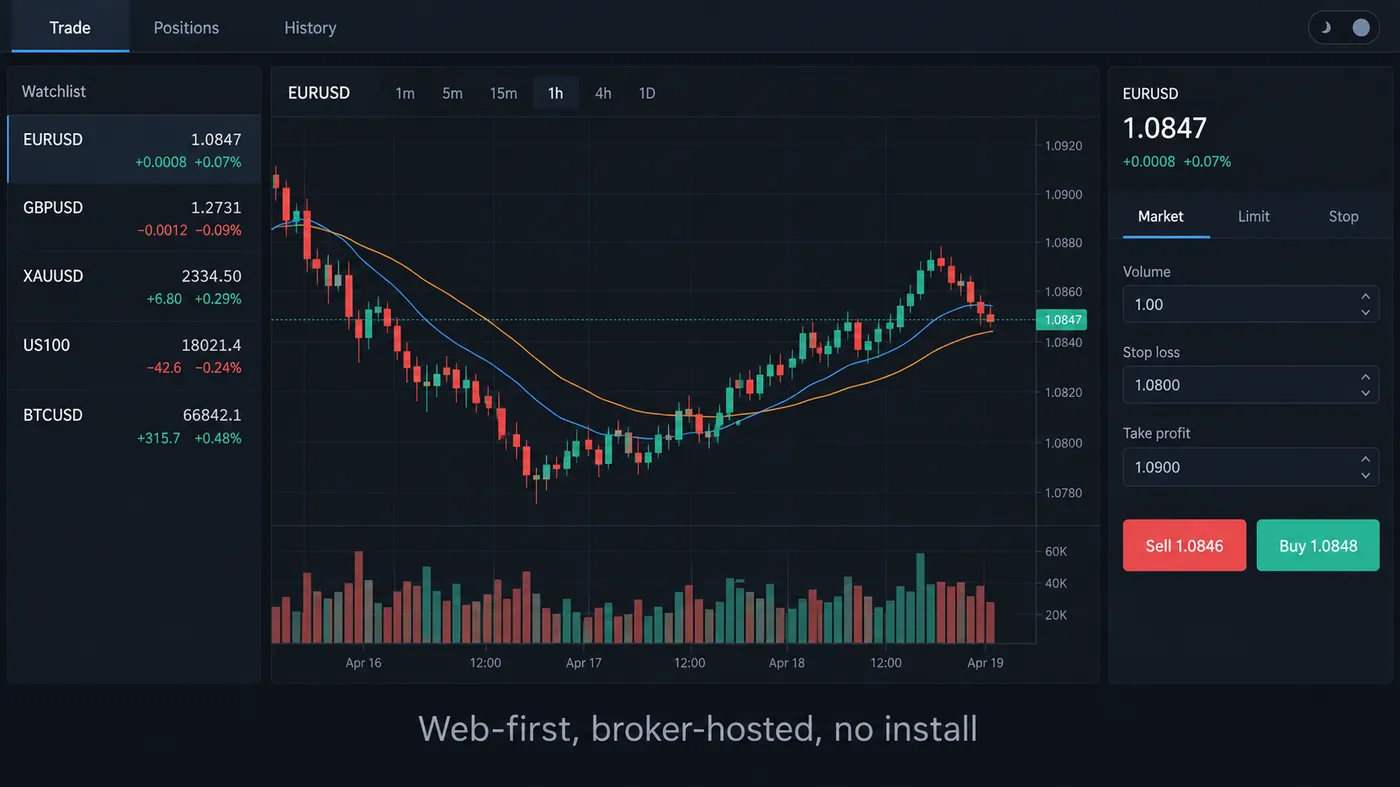
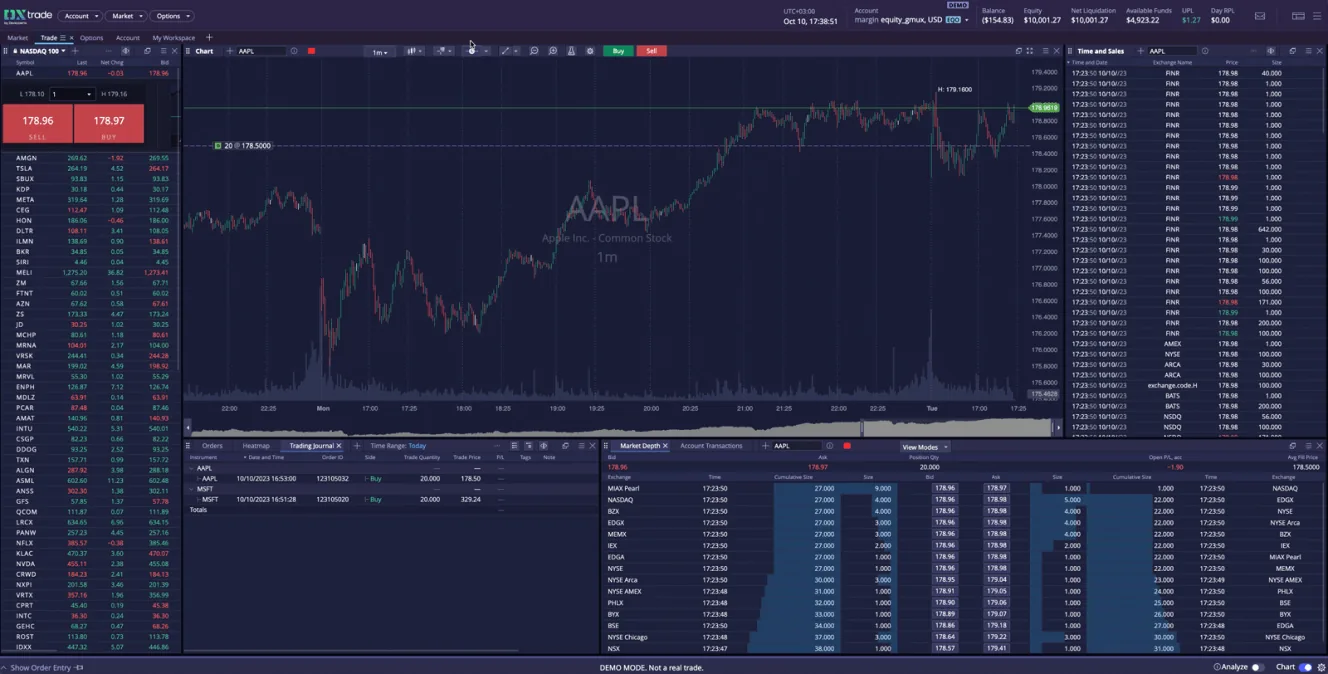
DXtrade is available only as a web application and as iOS and Android apps — there is no installable desktop terminal, and the mobile apps appear in the stores only if your broker has enabled them. You log in through the firm's link, and the workspace is the familiar three panes: a watchlist, a chart, an order ticket, with positions and history tabs along the top. Charting comes from Devexperts' own engine and carries the standard indicator set — Devexperts says most if not all of the MT4/MT5 built-in indicators are provided — and the platform can also sit behind TradingView as the execution backend for brokers that integrate it that way.
Order handling is the plainest part. DXtrade supports market, limit and stop orders with a regular stop loss and take profit attached. It does not support trailing stops, breakeven automation or multiple take-profit levels natively; if your process relies on those you either manage them by hand or run them from outside the platform. There is one-click trading and a close-all button in the positions widget. Chart history is controlled by the broker, which in practice means some firms give you deep history and some give you a few months.
Custom indicators, automation and copy trading
This is where the trade-off lives. There is no trader-side scripting language in DXtrade — no equivalent of MQL5, cTrader's C# or Pine. The built-in indicator library covers the classics, and Devexperts has said it has a client-side API and will look at adding scripting, but as of this writing you cannot load your own indicator into a DXtrade chart, and you cannot run an expert advisor or a cBot inside it. Automation therefore happens outside the platform: TradingView alerts to a webhook, a bridge or a bot placing orders through the firm's connectivity — the same architecture that signal-execution bots use on every platform. Copy trading works the same way: Devexperts is integrating third-party trade copiers such as Trader Connect rather than building a native copier, so whether you can copy between your evaluation accounts depends on which copier your firm has hooked up.
For a trader who charts on TradingView and only needs a ticket, none of this costs anything — the free indicators and the premium engine run on TradingView, the analysis happens there, and DXtrade is where the order goes. For a trader whose edge is a custom script on the execution platform, or who runs EAs, DXtrade is the wrong tool and the fix is simple: almost every firm that offers DXtrade also offers MetaTrader or cTrader, and you pick that at checkout.

Automate your trades. Let Quantum Algo trade for you.
Every signal executed on your own account — on your account, with the plan you define.
DXtrade vs MetaTrader 5 vs cTrader
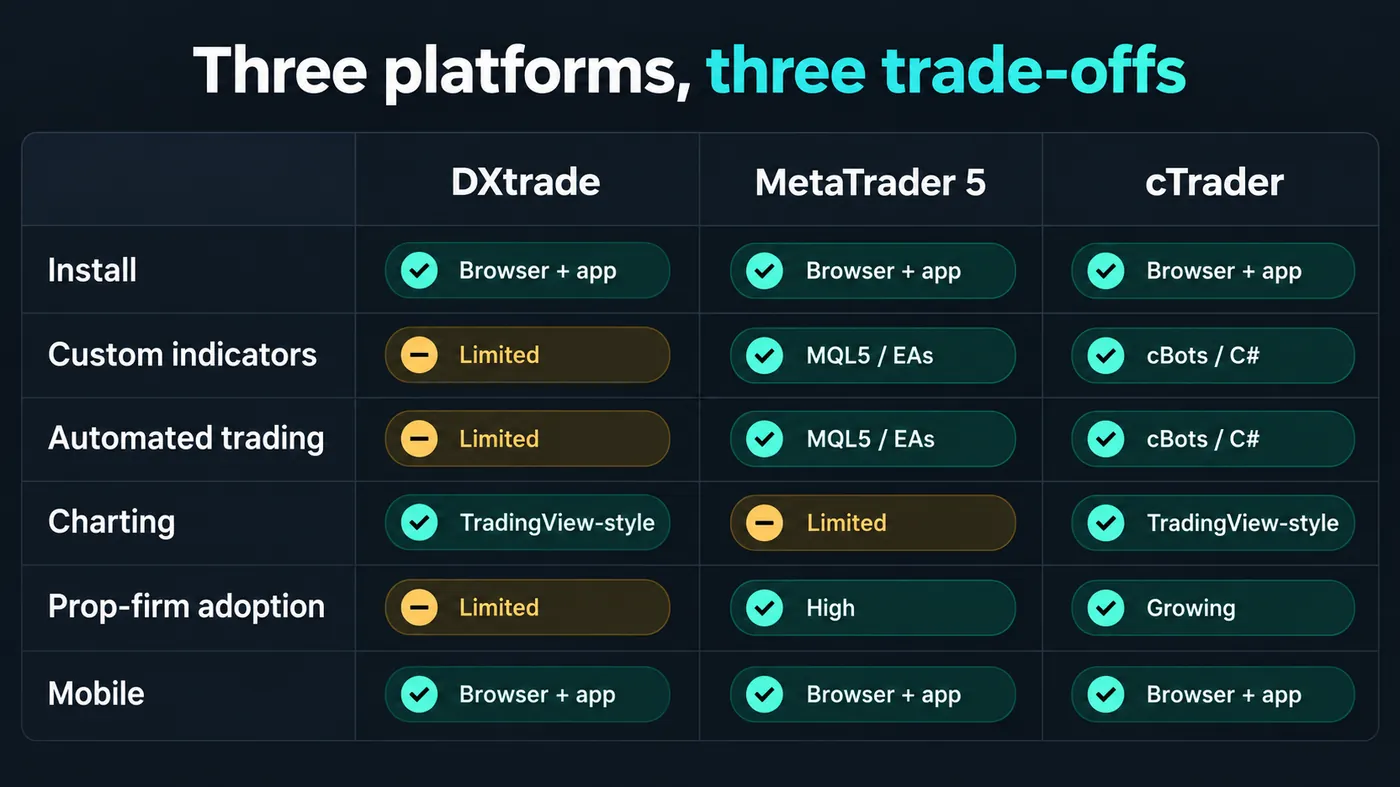
| DXtrade | MetaTrader 5 | cTrader | |
|---|---|---|---|
| Made by | Devexperts (2002) | MetaQuotes | Spotware |
| Install | Web and mobile only | Desktop, web, mobile | Desktop, web, mobile |
| Custom indicators | No — built-ins only (MT4/5-equivalent set) | MQL5, huge library | C# indicators |
| Automated trading | No on-platform EAs; external bridges only | Expert Advisors | cBots (C#), cTrader Automate |
| Advanced orders | SL / TP only | Trailing stop (client-side) | Trailing stop, advanced protection |
| Charting | Devexperts engine, adequate; TradingView-style feel | Dated but complete | Modern, good |
| Copy trading | Via integrated third-party copiers | MQL5 signals, third-party copiers | cTrader Copy |
| Prop-firm adoption | High and growing since 2024 | Still the widest | Growing |
| Best for | Traders who analyse elsewhere and want a clean ticket; firms | Script and EA users | Algo traders who prefer C# |
The 2024 removal of many prop-firm MetaTrader apps from the app stores, and the licence pressure on unregulated firms that followed, is why DXtrade shows up on so many checkout pages now — it was the fastest way for a firm to keep a platform running. The CFD platform guide ranks the three on charting and cost; the summary for a prop-firm trader is that MT5 is the safe default if you script, cTrader if you script in C#, and DXtrade if you do not script at all and prefer a browser.
Platform fit check
Answer six questions about how you actually trade — scripts, automation, exit management, copying, where you chart, device — and the tool tells you whether DXtrade will block you on anything and what to ask the firm for instead.
How to work with DXtrade at a prop firm
- Choose the platform at checkout, not after. Most firms let you pick DXtrade, MT5 or cTrader when you buy the evaluation; changing later usually means a new account.
- Do the analysis on TradingView. Structure, levels, signals and the free library live there; DXtrade becomes the ticket and the risk dashboard, which is what it is good at.
- Check the chart history and the instrument list on the demo. Both are set by the firm. A three-month history and a thin symbol list are things to discover before paying.
- Manage exits by hand or by bridge. No trailing stops or multi-TP natively. Decide in advance whether you will move stops manually or let a bridge do it.
- Use the evaluation dashboard. The prop edition shows the daily loss, the drawdown floor and the objectives live — read it every morning.
- Confirm the copier before buying two accounts. Copy trading depends on which third-party copier the firm integrated; ask first.
Reference data
| Item | Value |
|---|---|
| Developer | Devexperts, founded 2002; not a broker — accounts come only via a broker or prop firm |
| Editions | DXtrade CFD (CFDs, spread bets, spot/margin crypto); DXtrade XT (stocks, options, futures, funds, bonds); prop-trading edition for futures and CFDs |
| Access | Web application; iOS and Android apps when the broker enables them; no desktop install |
| Charting | Devexperts engine with the standard indicator set; can run as the backend behind TradingView for integrated brokers |
| Scripting | None for traders; client-side API for integrators; scripting "under consideration" |
| Automation | No on-platform EAs; external bridges and webhook bots |
| Orders | Market, limit, stop; stop loss and take profit; no trailing stop, breakeven or multiple TP |
| Copy trading | Through integrated third-party copiers (e.g. Trader Connect) |
| Used by | FTMO (alongside MT4/MT5/cTrader), Tradeify (crypto), and many CFD prop firms since 2024 |
| Checked | September 2026 — Devexperts trader FAQ and firm platform pages |
Worked example: an SMC session on DXtrade without missing anything
A trader on an FTMO 2-step account chose DXtrade at checkout because she wanted to trade from a browser at work. Her process is a 4-hour order block and a 15-minute liquidity sweep on GBPUSD in the London session, marked on TradingView with the Smart Money Concepts Engine and the SessionScope script. At 08:40 London the sweep of the Asian low prints and the 15-minute candle closes back inside; she switches tabs, types the volume, stop and take-profit into the DXtrade ticket, and is filled in under a second. Stop 18 pips under the sweep, target the Asian high at 2.4R.
What she cannot do is set a trailing stop, so at 1R she moves the stop to breakeven by hand — one click in the positions widget — and at the target the take-profit order closes it. The evaluation dashboard shows the day's result against the 5% line the whole time. Nothing about the platform helped the trade and nothing about it hurt; the analysis was elsewhere, and DXtrade did the one thing she needed it to do. A trader whose edge was an MQL5 indicator on the execution chart would have had a different afternoon.
Mistakes traders make with DXtrade
- Expecting MetaTrader. There are no EAs, no custom indicators and no trailing stops; find that out on the demo, not on a paid account.
- Blaming the platform for the broker's settings. Chart history, symbols and enabled order types are the firm's choices.
- Buying two accounts for copy trading without checking which copier the firm integrated.
- Analysing on the platform. Its charting is adequate; TradingView is where the levels and the signals are.
- Assuming the mobile app exists. It appears only if the broker enabled it.
- Switching platform after passing. Most firms tie the platform to the account; choose at checkout.
DXtrade and the free indicators
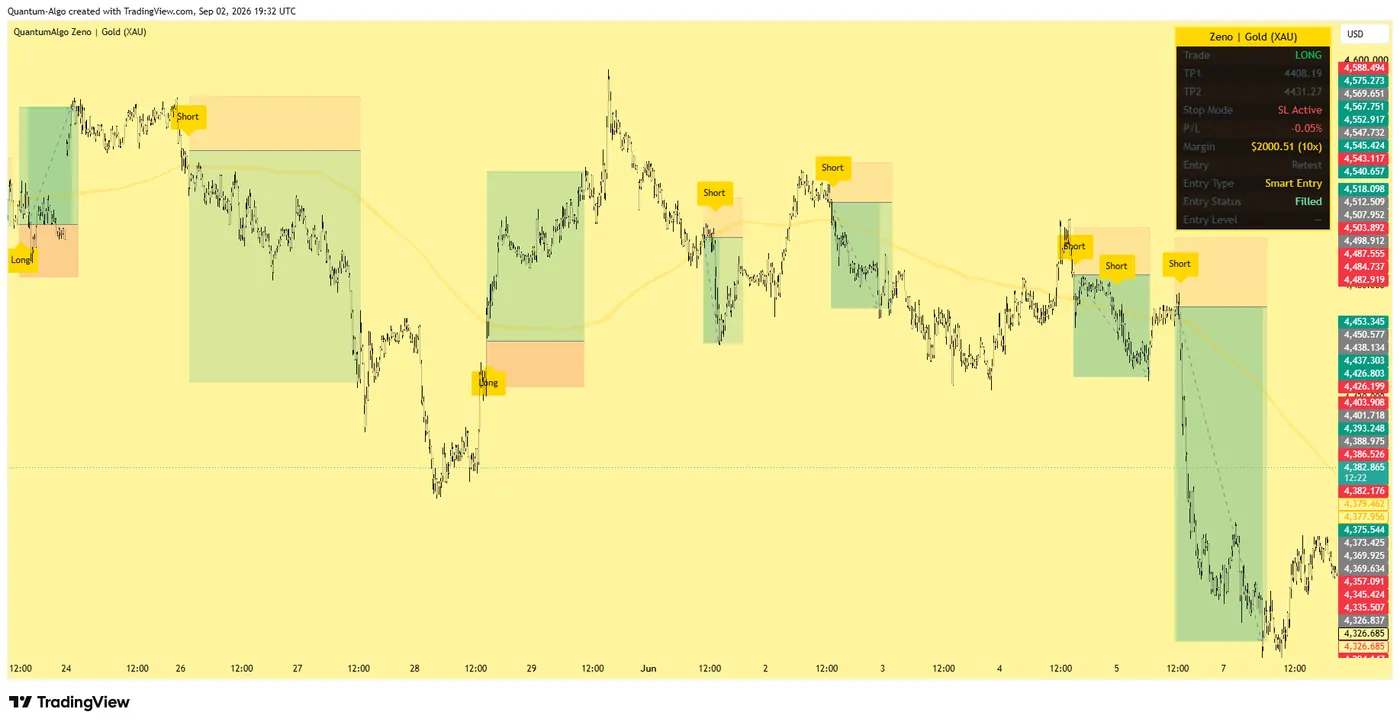
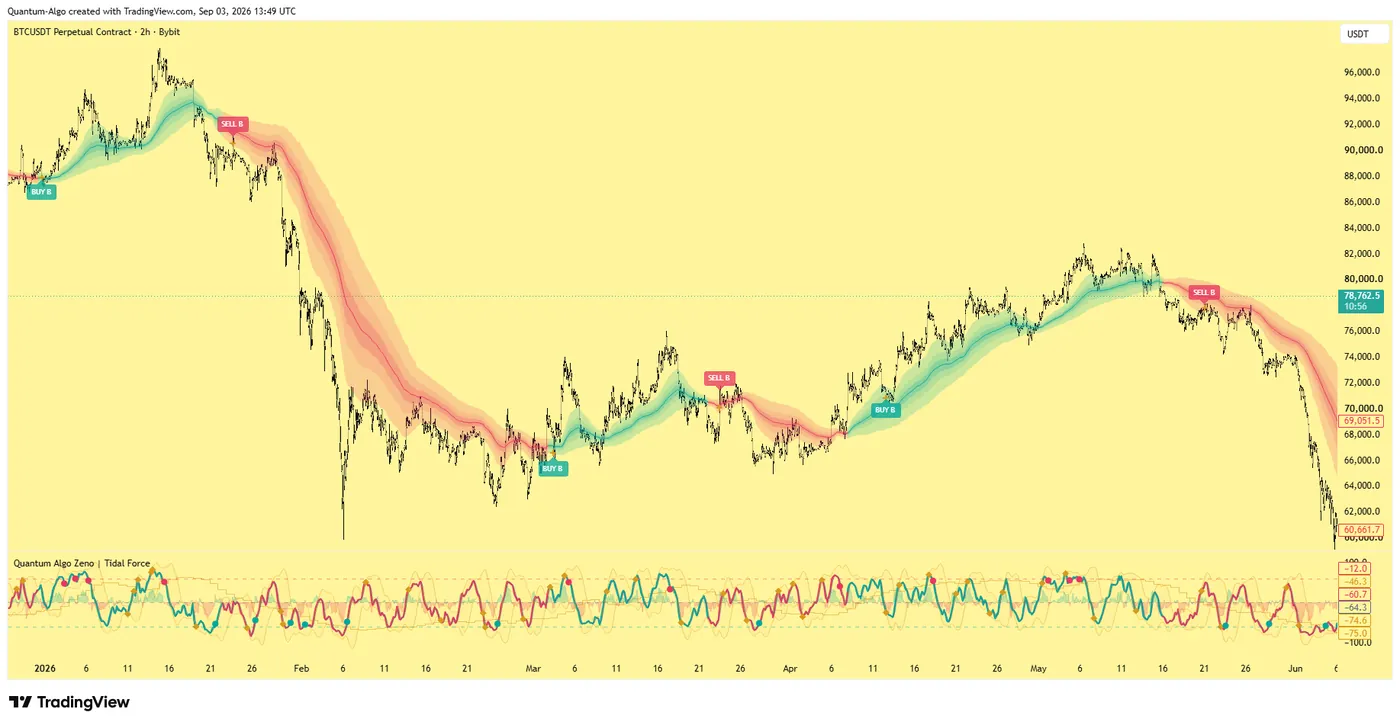
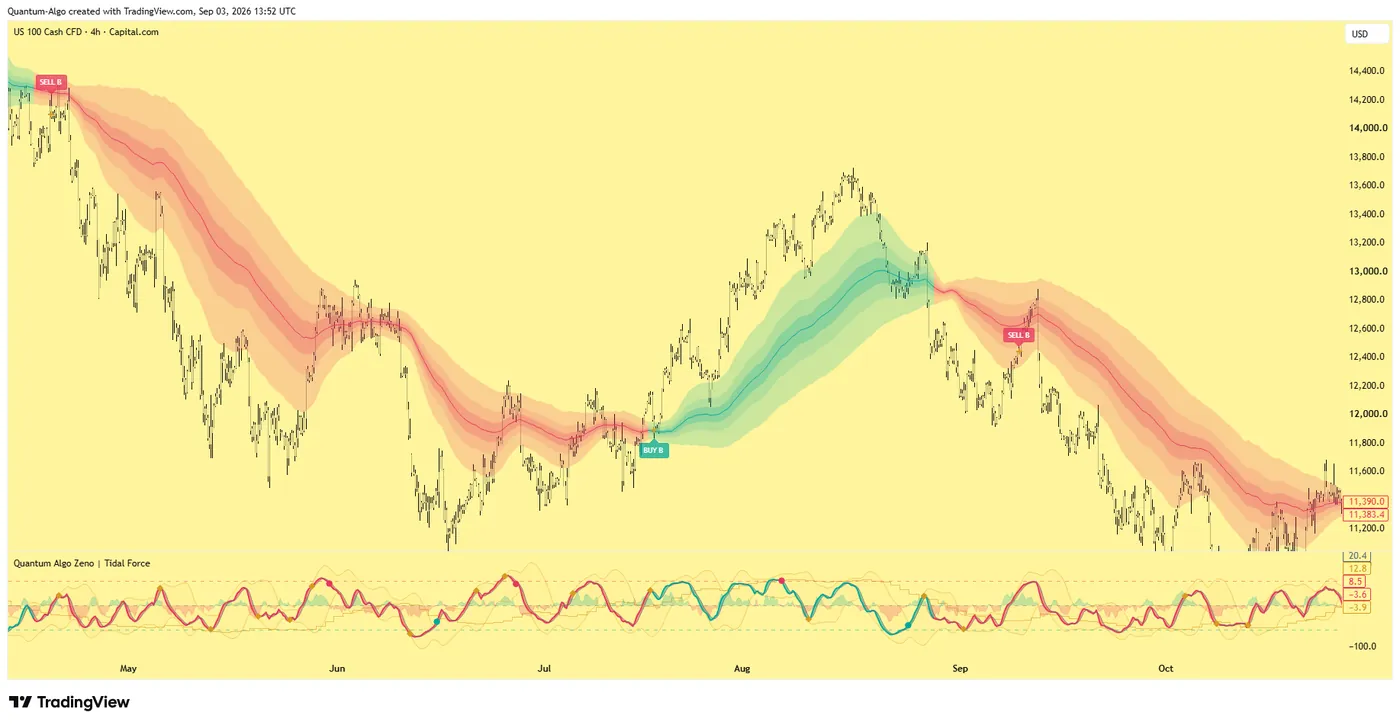
Because DXtrade has no scripting, the analysis layer has to live on TradingView, and that is where the library is. The Smart Money Concepts Engine marks structure and order blocks, the Liquidity Sweeps script flags the sweep, the Institutional Key Levels script keeps the daily levels on the chart, and the SessionScope script marks the sessions and the killzones. The premium engine, Zeno, prints the signal with a stop and targets, which you carry across to the DXtrade ticket as three numbers — and QuantumBot is the webhook-driven executor for traders who want the order placed without switching tabs. The TradingView platform guide covers the charting side in full.
DXtrade is the firm's platform, handed to you. Use it for what it is — a fast browser ticket with the evaluation dashboard built in — and keep the analysis on TradingView, where the indicators and the signals live. Check the chart history, instrument list and copier on the demo, manage exits by hand or by bridge, and if your edge is a script on the execution platform, pick MT5 or cTrader when you buy the account.
◆ Interactive check
Do you know what DXtrade can and cannot do?
Questions traders ask about DXtrade
A web and mobile trading platform developed by Devexperts, a financial-software company founded in 2002, and licensed to brokers and prop firms. Traders receive it from those firms — Devexperts is not a broker and does not provide accounts. It comes in CFD, XT (multi-asset) and prop-trading editions.
No. Devexperts builds the software; your broker or prop firm operates it, manages your account, sets the instruments and chart history and decides which order types are enabled. Support questions about your account go to the firm, not to Devexperts.
Not at present. DXtrade ships a built-in library that Devexperts says covers most if not all of the MT4/MT5 standard indicators, and it has a client-side API for integrators, but there is no trader-side scripting language. If your process depends on custom indicators on the execution chart, choose an MT5 or cTrader account.
Not inside the platform. Automation happens externally — TradingView alerts to a webhook, and a bridge or bot that places the order through the firm's connectivity — which is the same architecture signal-execution bots use on every platform.
No. It supports a regular stop loss and take profit attached to a position, plus market, limit and stop orders. Trailing stops, breakeven automation and multiple take-profit levels are not native; you manage them by hand or from an external tool.
FTMO offers it alongside MetaTrader 4/5 and cTrader; Tradeify uses it for crypto; and many CFD prop firms adopted it after 2024, when app-store removals and licence pressure pushed firms off MetaTrader. Check the checkout page — most firms let you choose the platform when you buy.
No. DXtrade is available only as a web application and as iOS and Android apps, and the mobile apps appear only if your broker has enabled them.
Only through the third-party trade copiers Devexperts is integrating, such as Trader Connect — there is no native copier. Ask your firm which copier it supports before buying multiple accounts.
MT5 if you use custom indicators, EAs or trailing stops; DXtrade if you analyse on TradingView, want a browser-based ticket and value the built-in evaluation dashboard. cTrader sits between them for traders who script in C#.
The indicators run on TradingView, which is where the analysis happens whatever platform executes the order; DXtrade becomes the ticket. Zeno prints the signal with a stop and targets to carry across, and QuantumBot is the webhook-driven executor for traders who want the order placed automatically.
References & Related Guides
Read next
- Prop Firms That Use MT4
- Best CFD Trading Platforms
- FTMO Review
- FundedNext Review
- What Is a Prop Firm?
- TradingView Platform Guide
- What Is a Trading Bot?
- Copy Trading vs Automated Trading
- Smart Money Concepts Engine (free indicator)
- SessionScope (free indicator)
- Prop Firm Trading Strategy
- Zeno — the premium engine
Primary sources
- Devexperts: DXtrade traders' FAQ — editions, access, indicators, API, order types, copiers
- Devexperts: DXtrade prop-trading and contest management technology
- FTMO: platforms offered (MetaTrader 4, MetaTrader 5, cTrader, DXtrade)
- Devexperts company overview (founded 2002; software provider, not a broker)