Tradovate Review: Pricing, the TradingView Connection, the NinjaTrader Merger, and Who It Suits
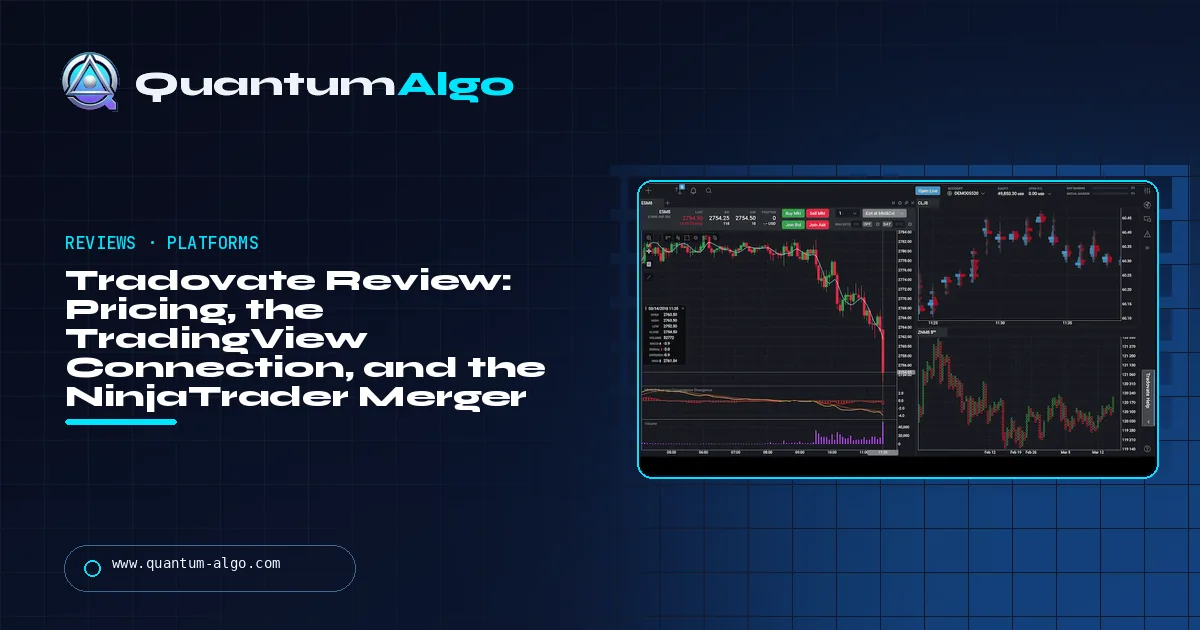
Tradovate is a futures broker and platform, in the NinjaTrader group since 2022, with three memberships differing in commission: Free ($0.39 a side on micros, $1.29 standard), Monthly ($99; $0.29/$0.99) and Lifetime ($1,499 once; $0.09/$0.59), plus exchange, clearing and NFA fees. It connects natively to TradingView, has no minimum deposit, and is the account most prop firms issue. Rating 4.3/5.
Tradovate is the platform half the futures prop industry hands you and the broker TradingView traders end up on, and most reviews of it are either a rate card or a complaint about hidden fees. This one is both, with the arithmetic: what each membership really costs at your volume, how the TradingView connection works, what the NinjaTrader merger has and has not changed, and what a Tradovate login from a prop firm actually gives you.
Indicators that prove themselves in public.
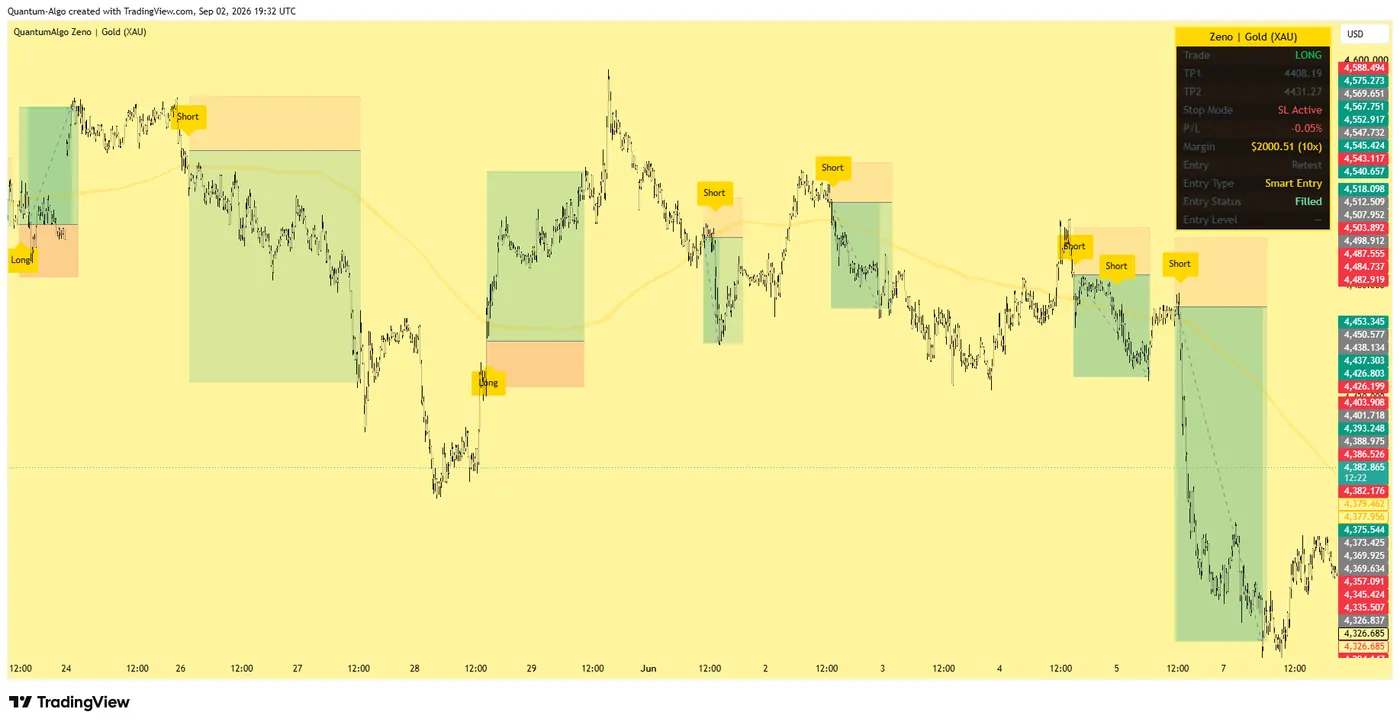
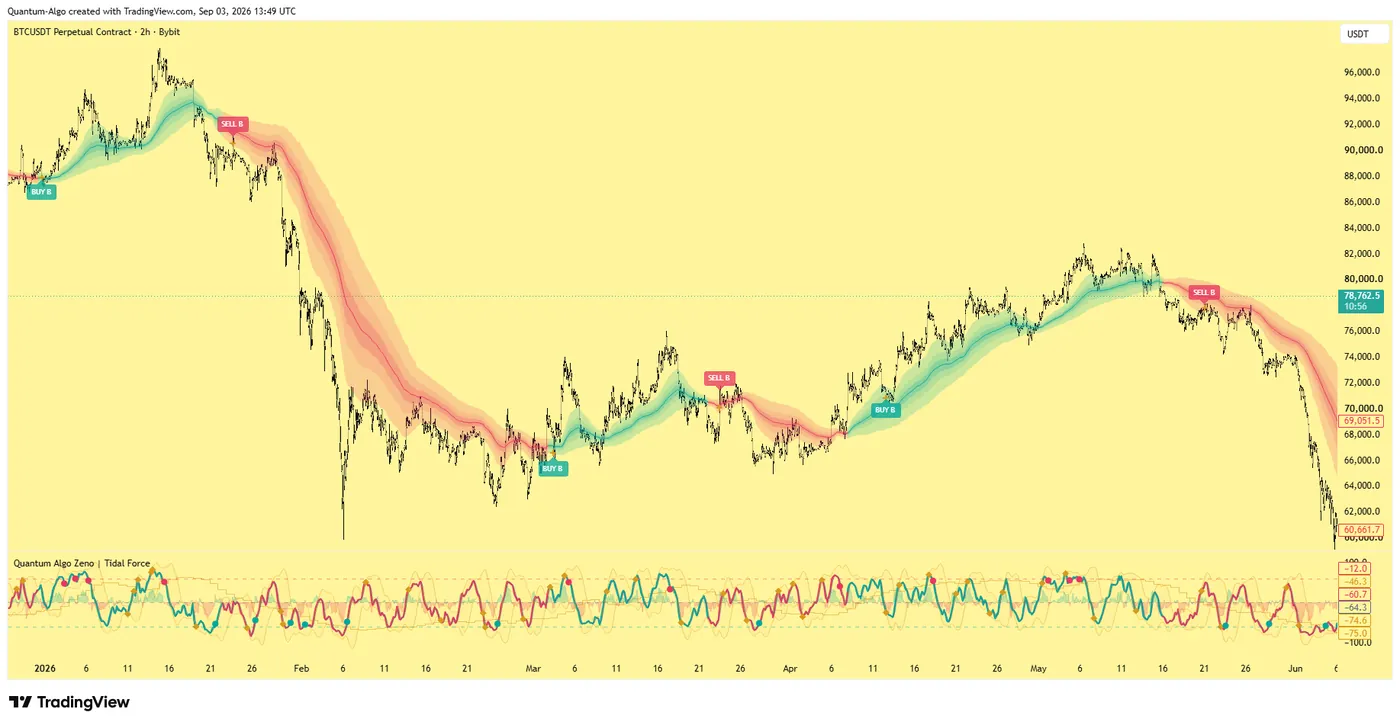
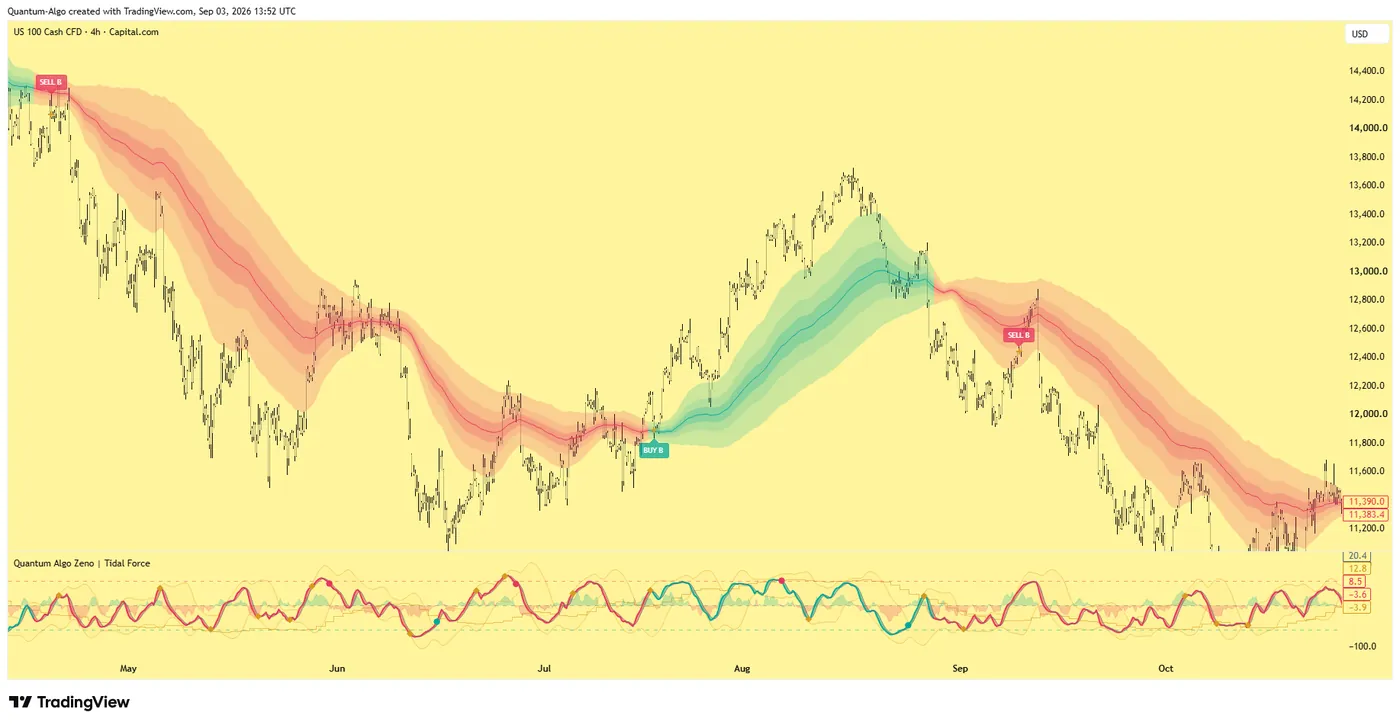
One engine, four precision tools — the Gold (XAU) Scalper, the institutional Gravity Zone, the Zeno momentum Oscillator, and Zeno Stocks for equities.
What is Tradovate?
Tradovate is a US futures broker and trading platform, launched in 2016 as the first commission-free, subscription-priced futures broker, and since 2022 part of the NinjaTrader group with clearing through NinjaTrader Clearing, a registered futures commission merchant and NFA member. Its platform runs in a browser, on desktop and on mobile with one synced workspace, and it is the account type most futures prop firms — My Funded Futures, Tradeify, Lucid, TradeDay, Elite, Apex's Tradovate plans and others — actually issue. It is also the broker TradingView connects to natively for futures, which is why "does this prop firm work with TradingView" so often reduces to "is it a Tradovate account".
This review is for two readers: the trader opening their own Tradovate account and choosing a membership, and the prop-firm trader who has been handed a Tradovate login and wants to know what they have. It covers the pricing and commissions, the platform, the TradingView and NinjaTrader connections, margins and funding, the prop-firm relationship, where Tradovate is weak, and a calculator that picks the membership from your volume. Prices were checked in September 2026.
What is the verdict on Tradovate?
Rating: 4.3 / 5. The most convenient futures broker for a TradingView trader — browser-based, no platform fee, native TradingView and NinjaTrader connections, no minimum deposit, and commissions that start reasonable and become very low on the Lifetime plan. Loses points for futures-only coverage (no stocks, no ETFs), for exchange and data fees that the headline commission does not show, for a charting package that is adequate rather than good, and for the slow, still-unresolved question of how the Tradovate and NinjaTrader platforms will settle into one.
Best for: TradingView traders who want the order ticket on the chart, prop-firm traders at a Tradovate-based firm, and anyone who values a browser platform over a desktop install. Not for: traders who need stocks alongside futures, order-flow traders who want a serious footprint (NinjaTrader, Bookmap or Jigsaw do that better), and very high-volume scalpers who should be on Lifetime or on a Rithmic-based deep-discount broker.
What does Tradovate do?
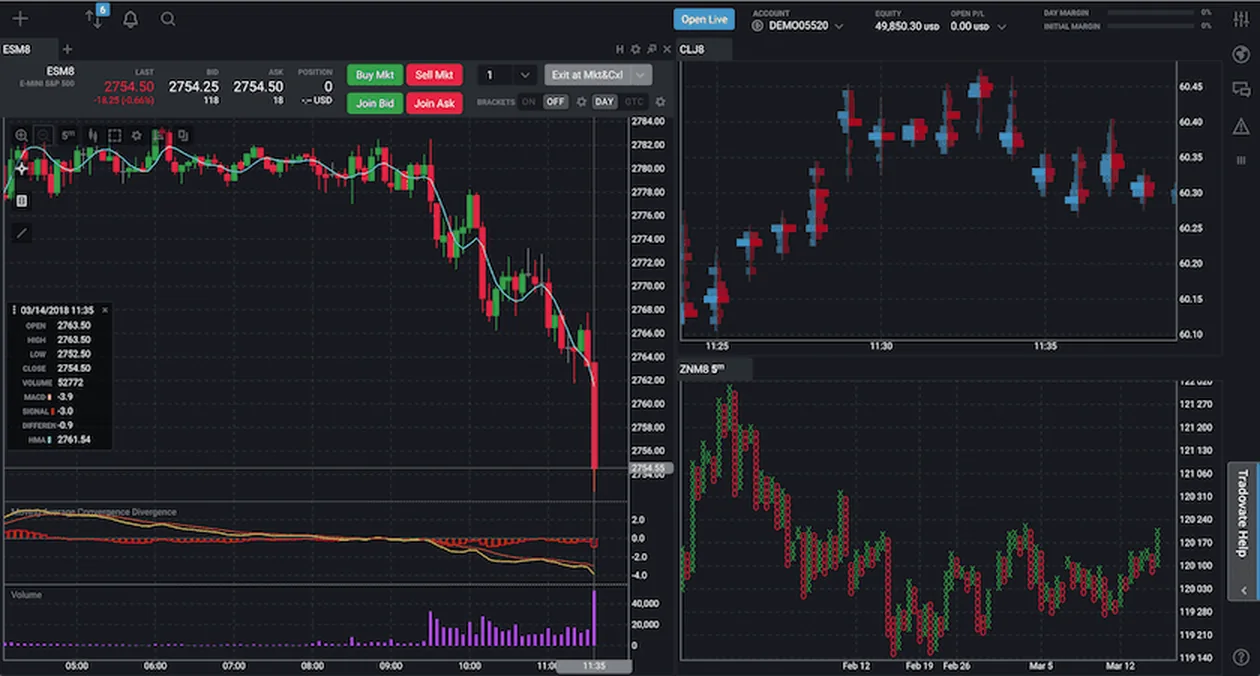
- Web, desktop and mobile. One account, one workspace, synced. Downloads for Windows and Mac, a browser version, iPhone, iPad and Android apps — all included on every plan.
- DOM and order ticket. A price ladder with one-click entry, bracket orders (OCO / OSO), trailing stops, cloud-held orders that survive a closed laptop, and a spread matrix.
- Charts. Candles, TPO, Renko and the usual set, forty-odd built-in indicators. Enough to trade from; not enough to analyse on, which is why most users chart elsewhere.
- Market Replay. Tick-level replay of past sessions for practice, included.
- TradingView connection. Log the account into TradingView's Trading Panel and the order ticket sits on your TradingView chart, with your indicators. No routing fee.
- NinjaTrader connection. Since the merger, a Tradovate login opens the NinjaTrader desktop, web and mobile platforms with the same account and workspace.
- Jigsaw and API. Jigsaw Daytradr connects directly; a REST and WebSocket API is available for developers.
- Prop-firm accounts. Tradovate powers the evaluation and funded accounts of a large share of the futures prop industry; the firm issues the login, Tradovate provides the platform and the feed.
How do the three Tradovate memberships compare?
| Free | Monthly | Lifetime | |
|---|---|---|---|
| Platform fee | $0 | $99 / month | $1,499 once (or 4 × $499) |
| Micros, per side | $0.39 | $0.29 | $0.09 |
| Standard contracts, per side | $1.29 | $0.99 | $0.59 |
| Nano and event contracts, per side | $0.20 | $0.15 | $0.05 |
| Exchange, clearing and NFA fees | Added on every plan | Added | Added |
| Platform, data routing, licence fees | None | None | None |
| Features | All | All | All |
The plans differ only in price; every feature is on every plan, which is unusual and welcome. The arithmetic: a micro round turn costs $0.78 in commission on Free, $0.58 on Monthly, $0.18 on Lifetime — before the exchange, clearing and NFA fees of roughly $0.35–$0.40 a side that apply everywhere and that the headline number does not include. On micros those fees are usually the larger part of the ticket, so the difference between plans matters less than it looks until you trade a few hundred round turns a month. The calculator below does it for your volume. Margins are low — around $50 a micro and $500 a standard index contract intraday — and there is no minimum deposit to open an account.

Automate your trades. Let Quantum Algo trade for you.
Every signal executed on your own account — on your account, with the plan you define.
How do you trade on Tradovate from TradingView?
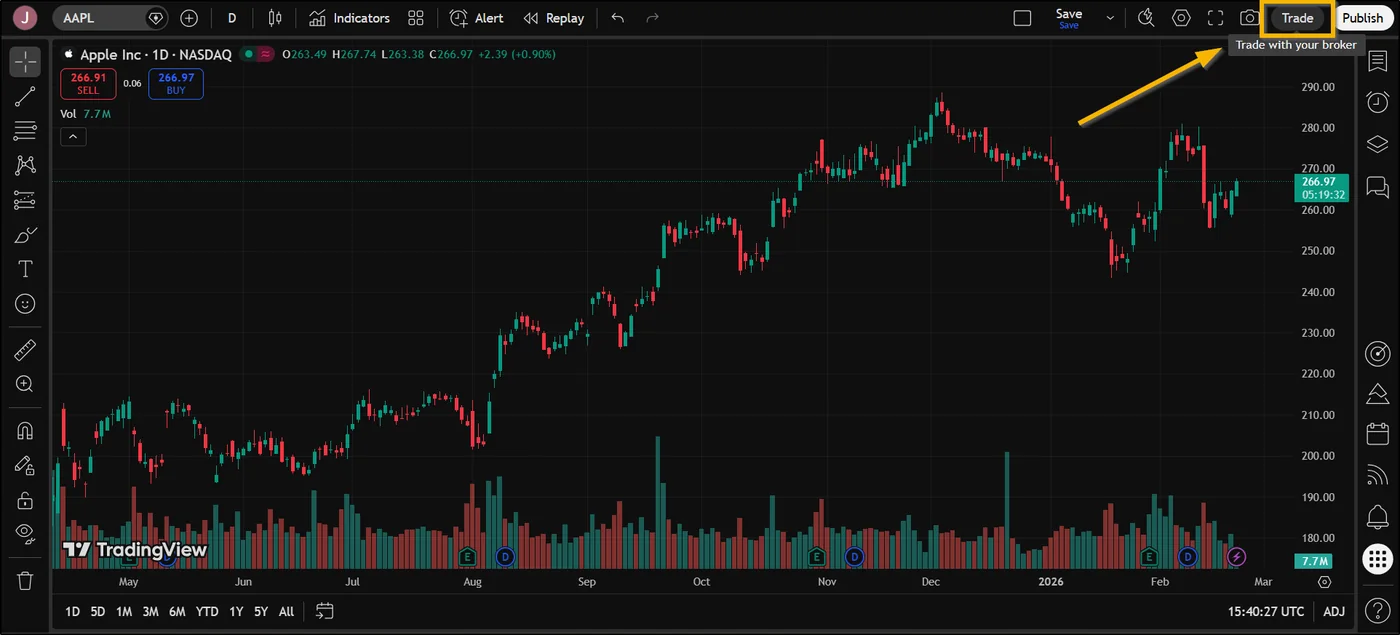
This is the feature most readers came for. Open a TradingView chart, click Trade in the toolbar or open the Trading Panel at the bottom, choose Tradovate, log in with your account — or the login a prop firm issued — and the order ticket appears on the chart. Orders placed on the chart show on the Tradovate platform and the other way round; brackets, stops and position lines are drawn on the chart; there is no routing fee and no bridge. It works on the free TradingView plan, though the indicator and alert allowances of the paid plans are what a full Smart Money layout needs.
For a prop-firm trader this is the whole reason the Tradovate firms are the TradingView firms, and the TradingView prop firms guide lists them. For a systematic trader, the same connection means a Pine strategy's alert can drive a webhook bridge or QuantumBot into the same account — check the firm's automation rule first.
How are Tradovate and NinjaTrader connected?
Tradovate has been part of the NinjaTrader group since 2022, and the two platforms have been converging since: a Tradovate login now opens all NinjaTrader platforms — desktop, web and mobile — with the Tradovate workspace intact, and NinjaTrader's desktop can trade a Tradovate account directly. What this means in practice is that a Tradovate account gives you both: the browser platform for convenience and TradingView execution, and NinjaTrader 8 on the desktop for order-flow tools, strategies in NinjaScript and tick replay. What it does not yet mean, at the time of writing, is that the Tradovate brand is going away; the accounts, pricing and web platform continue under the Tradovate name. Check the current notices before assuming either platform is being retired. The futures platform guide compares the two head to head.
What does a prop firm's Tradovate login give you?
A large share of the futures prop industry runs on Tradovate: the firm buys the accounts, you get a login, and the platform, the feed and the TradingView connection are Tradovate's. That has three consequences. The commissions on a prop account are the firm's negotiated rates, not the memberships above — usually a fixed round-turn charge on the rules page. The drawdown you see in the platform is the firm's, computed by the firm, and Tradovate itself does not enforce it. And when the firm moves you to a live account, it is often a Tradovate account in your name, at which point the memberships and this review apply to you directly. The MFFU review, the Take Profit Trader review (CQG feed, Tradovate front end) and the Rithmic vs Tradovate answer cover the prop side; the short version of the last is that Rithmic is the faster feed and Tradovate the more convenient platform, and for a discretionary trader the convenience wins.
Where is Tradovate weak?
- Futures only. No stocks, no ETFs, no options on equities. Options on futures, yes. A trader who wants one account for everything should look at Interactive Brokers or TradeStation.
- Fees the headline hides. Exchange, clearing and NFA fees are real, per side, and on micros they exceed the commission on every plan. "Commission-free" plans are not fee-free.
- Charting. Usable, not a place to do analysis. Almost everyone charts on TradingView or NinjaTrader and executes on Tradovate.
- Order flow. No serious footprint or volume-ladder tools in the web platform; Jigsaw or NinjaTrader's Order Flow+ fill the gap.
- Latency. A cloud-hosted web platform is a little slower than a Rithmic desktop connection; scalpers of thin contracts notice, everyone else does not.
- Platform future. The NinjaTrader convergence is a positive for most users and a source of uncertainty for anyone who has built a workflow around the Tradovate web platform alone.
How does Tradovate compare with the alternatives?
| Tradovate | NinjaTrader | Interactive Brokers | AMP / Rithmic brokers | |
|---|---|---|---|---|
| Markets | Futures, options on futures | Futures, options on futures (forex via partners) | Everything | Futures |
| Platform | Browser, desktop, mobile; synced | Desktop (NT8), web, mobile | TWS, web, mobile | Third-party (Rithmic-based: Quantower, Bookmap, Jigsaw…) |
| TradingView execution | Native | Native (via the same account) | Native | No (Rithmic does not connect) |
| Micro commission, per side | $0.39 / $0.29 / $0.09 by plan | Similar tiers | Around $0.25–$0.85 by volume | Often lower with a licence fee |
| Platform fee | $0 / $99 / $1,499 once | Free to lifetime licence | None | Varies by front end |
| Minimum deposit | None | Low | None | Low |
| Order-flow tools | Basic | Strong (Order Flow+) | Basic | Strong (front-end dependent) |
| Best for | TradingView and prop-firm traders | Strategy and order-flow traders | Multi-asset | Deep-discount scalpers |
Which Tradovate plan is cheapest for your volume?
Enter the contract type, your monthly round turns, the per-side exchange and clearing fees and how long you expect to trade. The calculator returns the cheapest membership for your volume and the real all-in cost per month.
Reference data
| Item | Value |
|---|---|
| Company | Tradovate — part of the NinjaTrader group since 2022; clearing by NinjaTrader Clearing (FCM, NFA member) |
| Markets | CME-group and other US futures, options on futures; no stocks or ETFs |
| Memberships | Free $0; Monthly $99; Lifetime $1,499 (or 4 × $499); all features on all plans |
| Commissions per side | Micros $0.39 / $0.29 / $0.09; standard $1.29 / $0.99 / $0.59; nano and event $0.20 / $0.15 / $0.05 |
| Other fees | Exchange, clearing and NFA per side on every plan; no platform, data-routing or licence fees |
| Day-trade margins | Nano $10; smalls $25; micros $50; standard from $500 |
| Minimum deposit | None |
| Connections | TradingView (native), NinjaTrader platforms (same login), Jigsaw, REST / WebSocket API |
| Prop firms on Tradovate | My Funded Futures, Tradeify, Lucid Trading, TradeDay, Elite Trader Funding, Apex (Tradovate plans) and others |
| Checked | September 2026 |
Worked example: which membership suits a micro trader?
A trader runs Zeno on MNQ from TradingView, two micros a trade, about six trades a day, twenty days a month: 240 round turns, 480 sides. Exchange, clearing and NFA fees around $0.37 a side: $178 a month on any plan. Commission: Free $187, Monthly $139 + $99 = $238, Lifetime $43 + $1,499 once. Over a year: Free $4,380, Monthly $5,004, Lifetime $4,151 including the one-off ($2,652 of running cost). The Lifetime plan pays for itself in about ten months at this volume, the Monthly plan never does, and the fees the headline does not show — $2,136 a year — are the largest line on the bill whatever she chooses. If she were on a prop-firm account, none of this would apply: the firm's round-turn rate would, and the trade-off would be between firms rather than plans.
What mistakes do traders make with Tradovate?
- Reading "commission-free" as fee-free. Exchange, clearing and NFA fees are charged on every plan and dominate on micros.
- Buying the Monthly plan at low volume. Under about 120 micro round turns a month the Free plan is cheaper.
- Expecting the prop-firm commission to match the memberships. It is the firm's rate.
- Analysing on the Tradovate chart. Chart on TradingView or NinjaTrader; execute on Tradovate.
- Expecting Rithmic-speed fills from a browser. Convenience is the trade.
- Assuming the drawdown shown on a prop account is enforced by Tradovate. The firm computes and enforces it.
- Building an entire workflow on the web platform without a NinjaTrader fallback as the platforms converge.
Tradovate, Zeno and QuantumBot
Tradovate is the broker our futures customers most often trade through, for the obvious reason: Zeno lives on the TradingView chart, and Tradovate puts the order ticket on that chart. The Smart Money read — the overnight or previous-day sweep, the displacement candle, the order block it leaves — is executed from the same screen, on your own account or a prop firm's. For automation, a Zeno alert can drive QuantumBot into a Tradovate account over the webhook route, subject to the prop firm's rule if it is a firm account. The session indicator marks the New York window where the CME contracts are liquid, and the futures indicators guide covers the rest of the chart.
Tradovate is the convenient choice, and for a TradingView futures trader convenience is the right thing to buy: the order ticket on the chart, one login for the web platform and NinjaTrader, no minimum, no platform fee. Pick the membership from your volume — Free under about 120 micro round turns a month, Lifetime once you are trading every day — budget for the exchange and clearing fees the headline hides, chart elsewhere, and if the account came from a prop firm remember that the commissions and the drawdown are the firm's, not Tradovate's.
◆ Interactive check
Do you know what you are paying Tradovate?
Questions traders ask about Tradovate
For a futures trader who charts on TradingView and wants the order ticket on the chart, it is the most convenient broker available: native TradingView and NinjaTrader connections, browser, desktop and mobile with one synced workspace, no minimum deposit, no platform fee, and low margins. It is futures-only, its charts and order-flow tools are basic, and its "commission-free" memberships still carry exchange, clearing and NFA fees. Rating 4.3 / 5.
Three memberships, checked September 2026: Free ($0), Monthly ($99 a month) and Lifetime ($1,499 once, or four payments of $499). Per-side commissions on micros are $0.39, $0.29 and $0.09; on standard contracts $1.29, $0.99 and $0.59; on nano and event contracts $0.20, $0.15 and $0.05. Exchange, clearing and NFA fees — roughly $0.35–$0.40 a side on micros — apply on every plan. There are no platform, data-routing or licence fees.
It depends only on volume, because every feature is on every plan. On micros the Free plan is cheapest under roughly 120 round turns a month, the Monthly plan wins above that, and the Lifetime plan pays for itself within about a year for anyone trading a few hundred round turns a month. The calculator on this page does the arithmetic for your numbers.
Yes, natively. Open the Trading Panel on a TradingView chart, choose Tradovate, log in, and the order ticket appears on the chart with brackets, stops and positions drawn on it; orders sync with the Tradovate platform. It works on the free TradingView plan and there is no routing fee. Prop-firm Tradovate logins connect the same way.
Tradovate has been part of the NinjaTrader group since 2022, and a Tradovate login now opens the NinjaTrader desktop, web and mobile platforms with the same account and workspace. The Tradovate web platform, pricing and brand continue at the time of writing; the two are converging rather than one replacing the other. Check the current notices before assuming either platform is being retired.
Exchange, clearing and NFA fees, charged per side on every membership and not included in the headline commission. On micros they are typically larger than the commission itself — around $0.37 a side against $0.39 on the Free plan — so a "commission-free" or Lifetime account still pays them on every trade.
Because it is a browser platform with a native TradingView connection, no platform fee, cloud-held orders and an API the firms can build evaluation accounts on. My Funded Futures, Tradeify, Lucid Trading, TradeDay, Elite Trader Funding and Apex's Tradovate plans issue Tradovate logins; the commissions and the drawdown on those accounts are set and enforced by the firm, not by Tradovate.
Rithmic is a data and order-routing feed used by deep-discount futures brokers and several prop firms; it is faster and connects to order-flow front ends like Bookmap, Jigsaw and Quantower, but not to TradingView. Tradovate is a broker and platform with a native TradingView connection and a browser workspace. Scalpers of thin contracts and footprint traders lean Rithmic; discretionary TradingView traders lean Tradovate.
There is none to open an account. Day-trade margins are low — around $10 for nano contracts, $50 for micros and $500 and up for standard index contracts — so a small account can trade micros, though the exchange fees per contract argue for not going too small.
Yes. Tradovate has a REST and WebSocket API, and TradingView strategy alerts can drive a webhook bridge or QuantumBot into a Tradovate account. On a prop-firm account the firm's automation rule applies — most Tradovate-based firms allow it with exclusions; check before connecting.
References & Related Guides
Read next
- Rithmic vs Tradovate
- Best Futures Trading Platform
- Prop Firms That Use TradingView
- My Funded Futures Review
- Take Profit Trader Review
- Topstep Review
- Futures Trading for Beginners
- Best Indicators for Futures Trading
- Cheapest Prop Firms
- Best Trading Bots
- TradingView Platform Guide
- QuantumBot — execution from TradingView alerts