TradeStation Review: Fees, Platforms, EasyLanguage, Pros and Cons
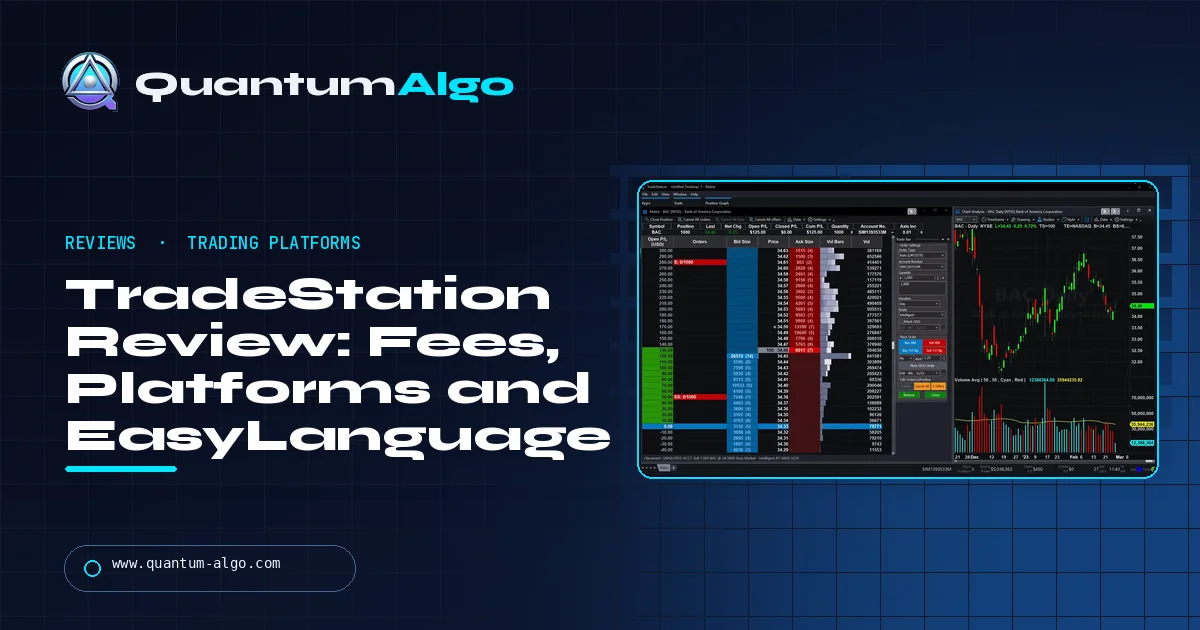
TradeStation is a US broker built for active traders: $0 commissions on US stocks and ETFs, $0.80 or less per options contract, $1.75 or less per futures contract and $0.50 or less per micro, falling with volume. Its strengths are the desktop platform, the EasyLanguage scripting language and deep backtesting. Its weak points are account fees (a $10 monthly inactivity fee unless you trade or hold $5,000, a $125 transfer-out fee), high margin rates, no spot crypto and a learning curve that makes it a poor first broker.
TradeStation has been building trading software since 1982 and is still one of the few brokers where the platform, the scripting language and the backtester are the main reason to open an account. That makes it a strong fit for some traders and an expensive habit for others. This review uses real screenshots of the platform and the broker's published pricing, checked in October 2026, to cover what it costs, what the software can do, where it falls short and who should use it.
Indicators that prove themselves in public.
One engine, four precision tools — the Gold (XAU) Scalper, the institutional Gravity Zone, the Zeno momentum Oscillator, and Zeno Stocks for equities.
What is TradeStation?
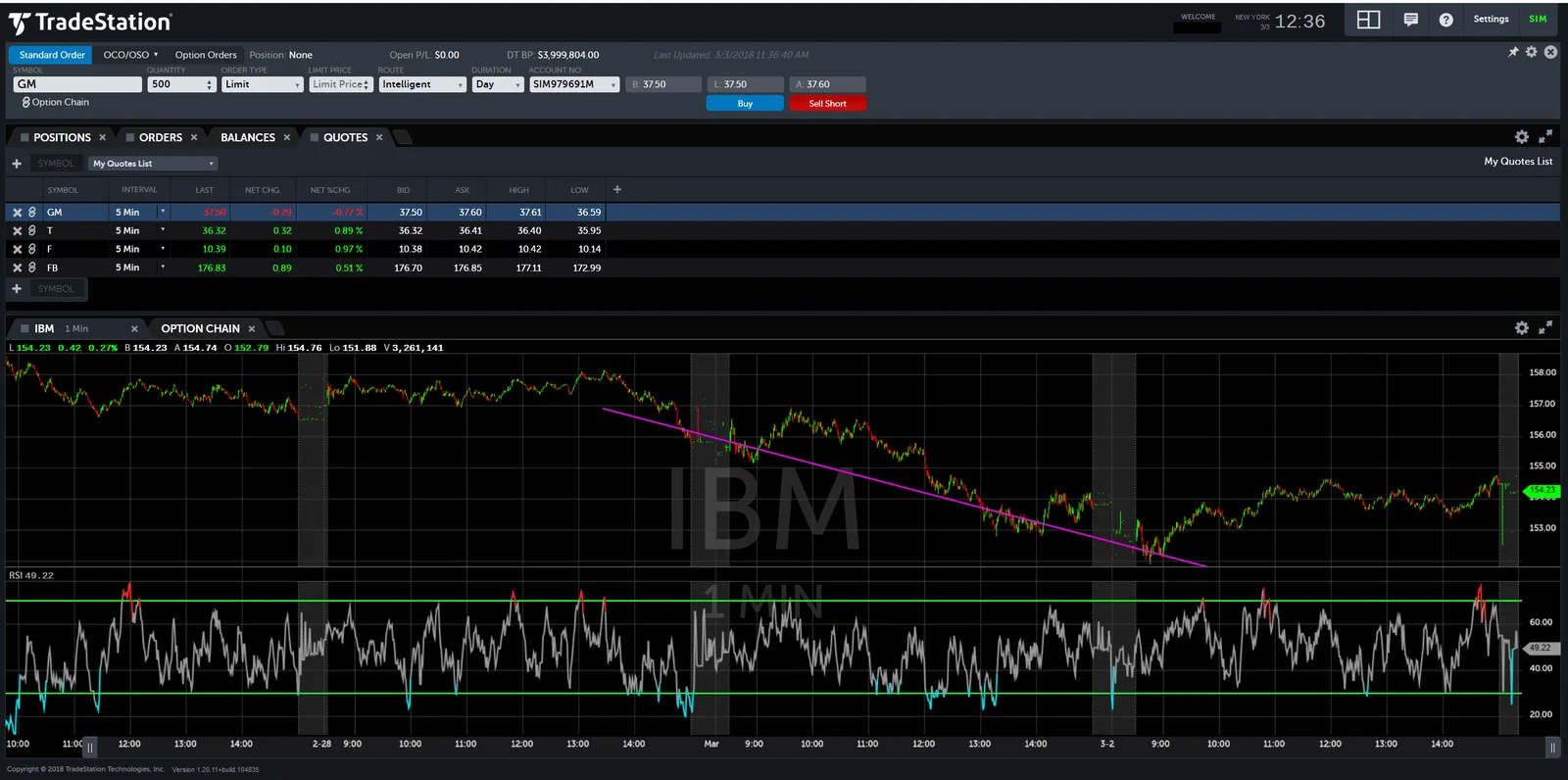
TradeStation is a US online broker and trading-software company for stocks, ETFs, options and futures. It started in 1982 as Omega Research, released the TradeStation platform in 1991 and has been owned by the Japanese financial group Monex Group since 2011. The broker is headquartered in Plantation, Florida. Its securities business is a FINRA member covered by SIPC, and its futures business is regulated through the NFA.
Most brokers treat the platform as a free extra. TradeStation is the opposite: the software is the product. Traders choose it for the desktop platform, for EasyLanguage (its own scripting language for indicators and strategies) and for backtesting that runs on decades of historical data. The brokerage account is how you pay for that toolkit.
The line-up has three parts: the long-running desktop platform for Windows, the newer TITAN X platform that runs natively on Windows and Mac, a web platform and mobile apps for iPhone and Android. In January 2026 TradeStation also released an MCP server that lets AI assistants such as Claude and ChatGPT read account data and draft orders, with every order needing your confirmation before it is sent.
What does TradeStation cost?
Commissions for US clients, as published on TradeStation's pricing page and checked in October 2026. Each asset class has four volume tiers based on the previous month's activity; the first column is what a typical retail trader pays.
| Product | Lowest volume tier | Highest volume tier | Notes |
|---|---|---|---|
| US stocks and ETFs | $0 | $0 | Sub-dollar and OTC shares: $0.005 per share |
| Equity options, single-leg | $0.80 per contract | $0 per contract | Plus a $0.025 clearing fee per contract |
| Equity options, multi-leg | $0.40 per contract | $0 per contract | Per leg |
| Index options | $1.00 per contract | $0.60 per contract | Exchange fees on top |
| Futures | $1.75 per contract, per side | $0 | Exchange and NFA fees on top |
| Micro futures | $0.50 per contract, per side | $0.25 | Exchange and NFA fees on top |
The tiers are 0–500, 501–1,000, 1,001–10,000 and more than 10,000 contracts a month for options and futures. A round trip in one standard futures contract therefore costs $3.50 in commission at the first tier before exchange fees; a micro round trip costs $1.00. Non-US clients are charged differently, typically a flat fee per stock trade, so check the schedule for your country.
Account and other fees
| Fee | Amount |
|---|---|
| Account minimum | $0 (a $2,000 minimum applies to margin accounts) |
| Inactivity | $10 a month, waived with a $5,000 average balance or 10 trades in the prior 90 days |
| Outgoing account transfer | $125 |
| IRA | $35 a year, $50 to close |
| Wires | Free to receive; $25 domestic and $35 international to send |
| Options exercise or assignment | $14.95 per position |
| Margin interest | 12.00% under $50,000; 11.00% to $499,999; 6.50% from $500,000; 4.50% from $2,000,000 |
| Cash interest | 0.15% a year on free cash over $100,000 (non-IRA) |
Two of these matter more than the commissions for most people. The margin rate on small balances is high: carrying a $20,000 margin loan at 12% costs $200 a month. And the inactivity fee quietly charges $120 a year to anyone who opens an account, funds it with less than $5,000 and rarely trades. The pricing page also lists the desktop platform with RadarScreen at $99.99 a month for non-professional users and Portfolio Maestro at $59.95; check how these apply to your account before you rely on them. Basic market data is free for non-professionals; extra exchanges and depth cost more.
Which TradeStation platforms are there?
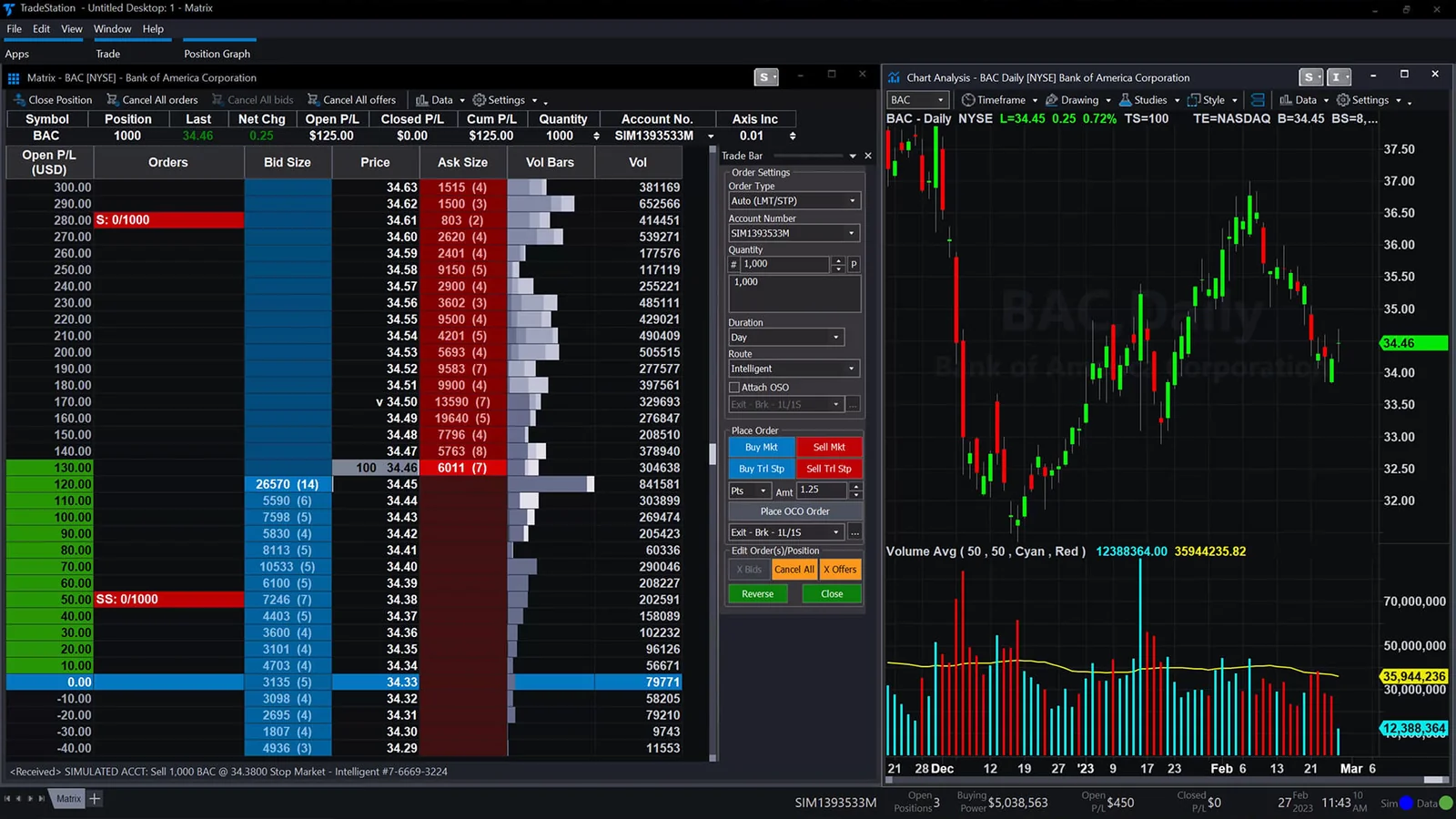
TradeStation is really a family of platforms, and which one you use changes the experience a lot.
| Platform | Runs on | Best for |
|---|---|---|
| Desktop platform | Windows | Full feature set: EasyLanguage, RadarScreen, backtesting and optimisation, Portfolio Maestro |
| TITAN X | Windows and Mac (native), web | A modern interface for charting, scanning and trading, with paper trading |
| Web trading | Browser | Checking positions and trading without installing anything |
| Mobile apps | iPhone and Android | Charts, alerts and order management on the move |
The desktop platform is where the power is. RadarScreen is a real-time scanner that can run any EasyLanguage indicator across hundreds of symbols in a grid. Matrix is a price ladder for one-click order entry, popular with futures traders. OptionStation Pro handles options chains, analysis and risk graphs, and Portfolio Maestro tests a strategy across a whole basket of symbols at once.
Charting is deep: hundreds of built-in studies, many drawing tools and multi-timeframe charts with tick-level data on futures. The price of that depth is a busy, dated-looking interface on the classic desktop and a real learning curve. TITAN X is TradeStation's answer, with a cleaner layout that also runs natively on a Mac.
What is EasyLanguage and why does it matter?
EasyLanguage is TradeStation's scripting language for indicators, scans and automated strategies. It was designed so that traders, not programmers, could write rules that read close to plain English:
inputs: Fast(9), Slow(21);
if Average(Close, Fast) crosses above Average(Close, Slow) then
    Buy next bar at market;
if Average(Close, Fast) crosses below Average(Close, Slow) then
    SellShort next bar at market;
Those five lines are a complete moving-average crossover strategy you can backtest, optimise and run live. The same language drives custom indicators on charts, columns in RadarScreen and strategy automation.
It matters for two reasons. First, the ecosystem: more than three decades of EasyLanguage code exists, from books, vendors and forums, so many published strategies can be tested almost as written. Second, it ties research to execution. A strategy you test on history can be switched to live automated trading on the same platform, which is rare among retail brokers.
If you already work in TradingView, EasyLanguage will feel familiar in purpose but different in syntax from Pine Script. The bigger difference is that EasyLanguage strategies can place real orders through the broker directly, while Pine Script strategies need a supported broker connection or an alert-based bridge.
How good is TradeStation for backtesting?
Backtesting is TradeStation's headline feature, and for good reason. You can apply a strategy to any chart, read a full performance report (net profit, profit factor, maximum drawdown, trade list, equity curve), then run an optimisation across ranges of inputs. Portfolio Maestro extends the same test to a basket of symbols, and walk-forward analysis is available to check whether optimised settings hold up out of sample.
The tooling is good enough to fool yourself with, so treat results carefully:
- Costs: add commission and slippage per trade in the strategy settings. A scalping system that looks great at zero cost often disappears at $3.50 a futures round trip plus a tick of slippage.
- Bar resolution: stops and targets inside one bar are filled by assumption. Use look-inside-bar backtesting or a smaller resolution when exits are tight.
- Overfitting: an optimisation over five inputs and ten years will always find a beautiful curve. Keep a period of data you never optimise on, and prefer settings that work across a broad range of values.
Our backtesting guide covers the process step by step, and the Monte Carlo guide shows how to stress-test a result before trusting it.
How good is TradeStation for options and futures?
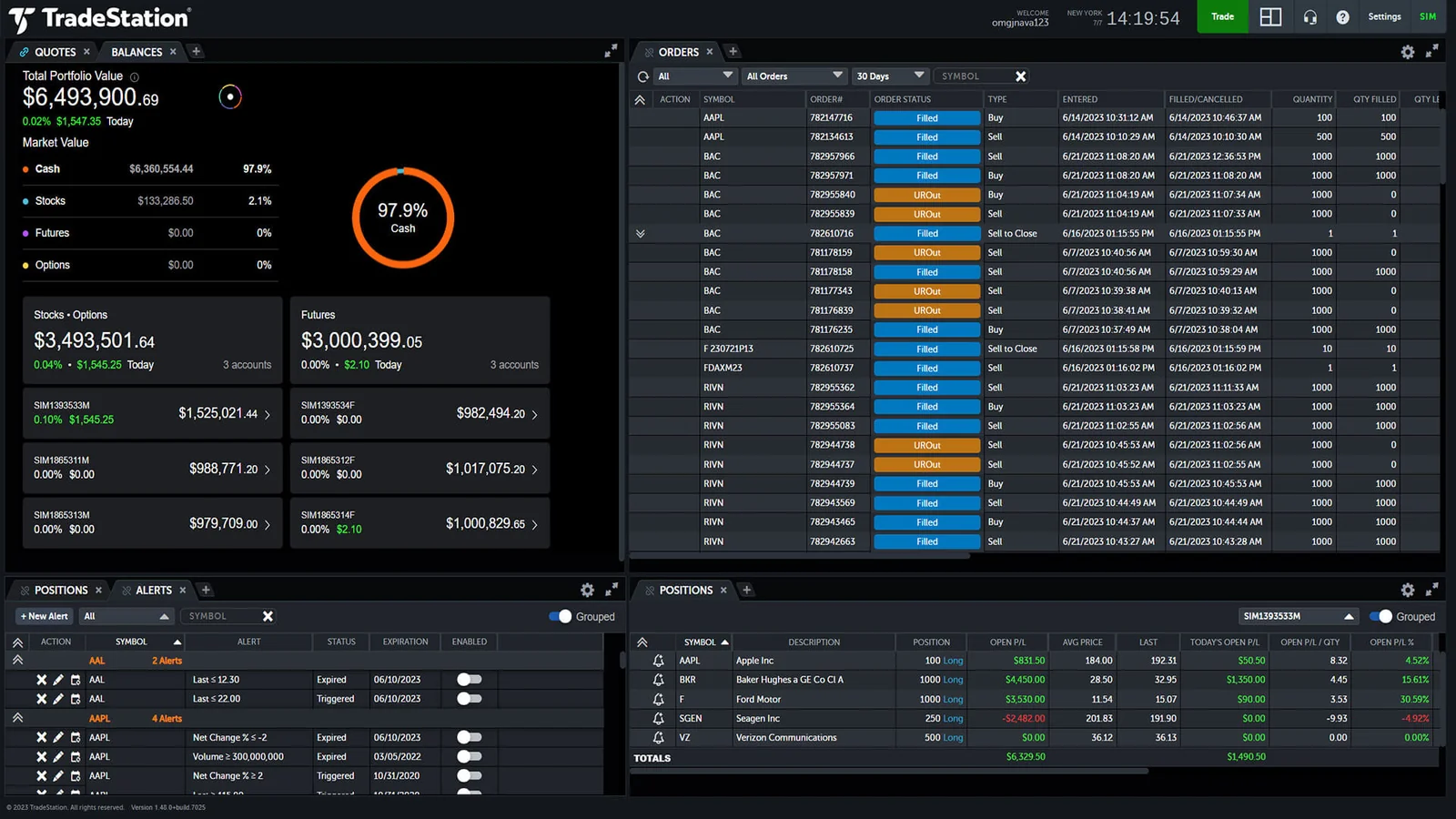
Both are strong areas. For options, OptionStation Pro gives a full chain with Greeks and implied volatility, multi-leg order entry for spreads, and risk graphs that show the payoff at expiry and at earlier dates. There are no fees to exercise in the money options that expire automatically, but manual exercise or assignment costs $14.95 per position, which matters for small accounts that trade short options.
For futures, TradeStation offers the major CME Group, ICE and Eurex products, micro contracts, Matrix ladder trading and tick-level history. At $1.75 per side for standard contracts at the first tier it is not the cheapest futures broker; specialists such as Tradovate or NinjaTrader charge less per contract for active traders, while TradeStation wins on charting, scripting and having stocks and options in the same account. The best futures platform guide compares them side by side.
What TradeStation does not offer: spot crypto, fractional shares, forex spot trading for US clients, robo-advice and mutual funds without a transaction fee.
TradeStation cost calculator
Enter a typical month of trading, your average balance and any margin loan. The calculator applies the first-tier rates published by TradeStation (volume tiers kick in automatically for larger numbers), adds margin interest at the published rate for your loan size and checks whether the inactivity fee would apply.
What are the pros and cons of TradeStation?
| Pros | Cons |
|---|---|
| $0 commissions on US stocks and ETFs | $10 monthly inactivity fee for small, quiet accounts |
| EasyLanguage: readable scripting with decades of shared code | Steep learning curve; the classic desktop looks dated |
| Serious backtesting, optimisation and walk-forward tools | Margin rates up to 12% on small balances |
| Strong options analytics and futures ladder trading | Futures commissions above specialist brokers at low volume |
| Desktop, TITAN X (Windows and Mac), web and mobile | No spot crypto, fractional shares or robo-advice |
| Long track record; owned by Monex Group | $125 to transfer the account out; some fees feel old-fashioned |
The pattern is clear: TradeStation rewards traders who use what it is good at. If you write or test systematic strategies, or trade options and futures actively, the costs are reasonable for what you get. If you buy a few ETFs a year, the fees and complexity are a poor deal.
TradeStation vs TradingView, NinjaTrader and thinkorswim
| Factor | TradeStation | TradingView | NinjaTrader | thinkorswim (Schwab) |
|---|---|---|---|---|
| Type | Broker + platform | Charting platform (connects to brokers) | Futures broker + platform | Broker platform |
| Scripting | EasyLanguage | Pine Script | NinjaScript (C#) | thinkScript |
| Strategy automation | Yes, native | Via broker integration or alerts | Yes, native | Limited |
| Assets | Stocks, ETFs, options, futures | Charts almost everything | Futures (and forex via partners) | Stocks, ETFs, options, futures, forex |
| Best for | Systematic traders, options and futures | Charting, community scripts, multi-broker | Active futures traders | Options traders who want free tools |
Many traders end up with two tools: TradingView for charting and ideas, and a broker platform for execution and testing. TradeStation can be both if you accept its interface. Our TradingView guide, NinjaTrader review and thinkorswim review go deeper on each alternative.
Reference data
| Item | Detail |
|---|---|
| Founded | 1982 as Omega Research; platform released 1991 |
| Owner | Monex Group (since 2011) |
| Headquarters | Plantation, Florida |
| Regulation | FINRA member and SIPC (securities); NFA (futures) |
| Products | US stocks, ETFs, options, futures, bonds, mutual funds |
| Not offered | Spot crypto, fractional shares, robo-advice |
| Scripting | EasyLanguage |
| Platforms | Desktop (Windows), TITAN X (Windows, Mac, web), mobile |
| Account minimum | $0; $2,000 for margin |
| Pricing checked | October 2026 |
Is TradeStation worth it, and how does it fit with Quantum Algo?
TradeStation is worth it for systematic and active traders: people who want to write rules in EasyLanguage, test them properly and trade options or futures from the same account. For buy-and-hold investors and complete beginners, a simpler broker with no inactivity fee is a better start. If you do choose TradeStation, keep an eye on the fees that do not appear in the commission headline: inactivity, margin interest, platform add-ons and the transfer-out fee.
Whatever platform executes your trades, the analysis still has to come first. The free Quantum Algo indicators mark structure, liquidity and key levels on TradingView, which many TradeStation users keep open alongside their broker. Zeno, the premium engine from Quantum Algo (QuantumAlgo), prints signals with an entry, a stop and two targets on stocks, futures, gold and crypto, and every call is on the public track record.
TradeStation is a broker built around its software: $0 US stock and ETF commissions, options from $0.80 and futures from $1.75 per contract at the first volume tier, EasyLanguage scripting and some of the best retail backtesting available. The costs to watch are the $10 monthly inactivity fee, margin rates up to 12%, platform add-ons and the $125 transfer-out fee. It suits systematic, options and futures traders; beginners and occasional investors are better served elsewhere.
◆ Interactive check
How well do you know TradeStation?
Questions traders ask about TradeStation
For active, systematic, options and futures traders, yes: the platform, EasyLanguage and backtesting are among the best available to retail traders. For beginners and occasional investors, the learning curve and account fees make it a weaker choice.
US stocks and ETFs are $0. Options cost $0.80 per contract and futures $1.75 per contract per side at the lowest volume tier, falling with volume. Account fees include a $10 monthly inactivity fee (waivable), $125 to transfer out and $35 a year for an IRA.
Opening an account costs nothing and there is no minimum deposit, but a $10 monthly inactivity fee applies unless you keep a $5,000 average balance or make 10 trades in 90 days. Some platform add-ons and extra market data cost more.
TradeStation Securities is a FINRA member and SIPC covers its securities accounts. Its futures business is regulated through the NFA, and the company is owned by Monex Group.
TradeStation's scripting language for indicators, scans and automated strategies, designed to read close to plain English so traders can write and test rules without being programmers.
No spot crypto is offered. You can trade crypto-linked ETFs and CME bitcoin and ether futures.
Yes. The TITAN X platform runs natively on Mac and Windows, and there are web and mobile versions. The classic desktop platform is Windows-only.
TradeStation accepts clients from many countries, but pricing differs from the US schedule and not every country is eligible. Check availability and the fee schedule for your country before applying.
They do different jobs. TradingView is the stronger charting and community platform and connects to many brokers. TradeStation is a broker with deeper backtesting and native strategy automation. Many traders use both.
There is no minimum for a cash account. A margin account requires at least $2,000.
References & Related Guides
Read next
- TradingView Platform Guide
- NinjaTrader Review
- thinkorswim Review
- Tradovate Review
- Best Trading Platforms
- Best Futures Trading Platform
- Backtesting a Trading Strategy
- Pine Script Alternatives
- Options Trading for Beginners
- Pattern Day Trader Rule
- Free TradingView indicators
- Zeno — the premium engine