Best TradingView Strategy 2026: The Definitive Guide
| Signal type | Strategy selection |
| Best context | Matching a strategy category to your timeframe and temperament |
| Confirmation | Positive expectancy over a large backtested sample |
| Invalidation | Strategy-hopping after normal drawdowns |
1. TradingView Strategy Categories — What Actually Works
TradingView hosts over 100,000 community scripts and indicators. Most are noise. The strategies that consistently produce results in 2026 fall into three categories, each with distinct strengths and weaknesses. Understanding these categories helps you filter out the 95% of scripts that waste your time.
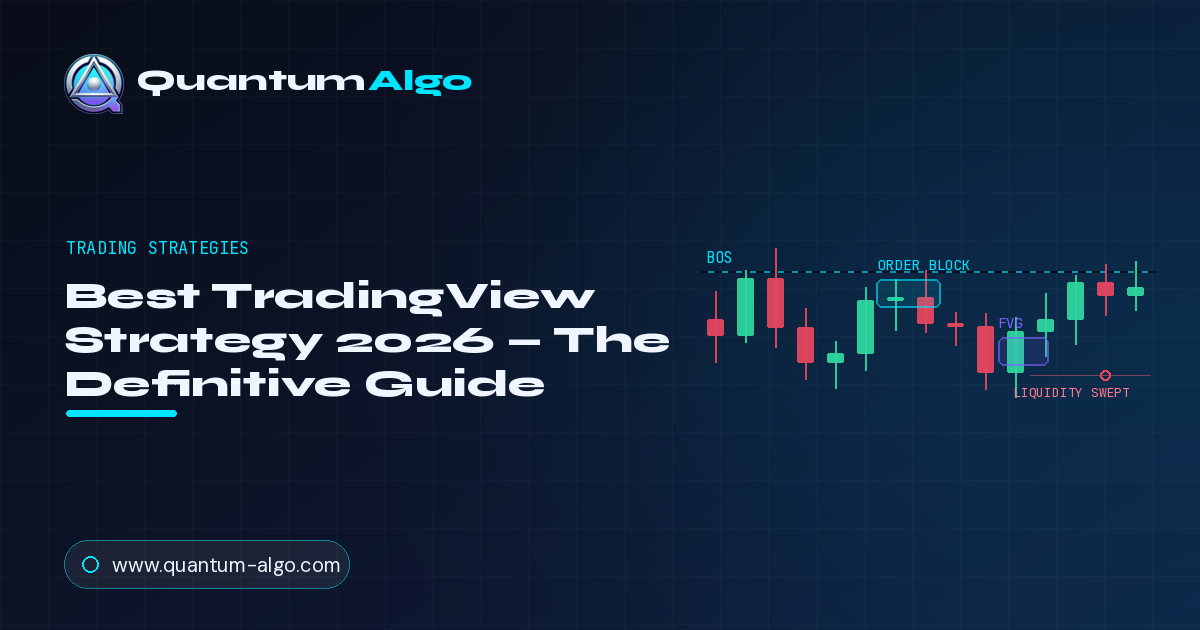
Smart Money Concepts (SMC/ICT): Strategies built on institutional order flow — order blocks, fair value gaps, liquidity zones, and market structure. These have the highest edge because they model why price moves, not just what it has done. Quantum Algo Zeno is the leading SMC indicator suite on TradingView, combining all these elements into a single automated system.
Price Action: Strategies based on candlestick patterns, support/resistance, and trend structure without indicators. The most universal approach — works on any market, any timeframe, any era. The downside is that it requires significant screen time and manual analysis.
Algorithmic/AI: Strategies using quantitative methods — machine learning classification, statistical scoring, and automated signal generation. The fastest-growing category in 2026. These remove emotional bias entirely but require understanding of the underlying logic to avoid blindly following signals.
2. Smart Money Concepts Strategy — The Institutional Edge
The SMC strategy on TradingView works by automating the detection of institutional footprints: order blocks, fair value gaps, liquidity zones, and structural breaks. Instead of drawing these zones manually (which takes 30+ minutes per pair), an SMC indicator identifies them in real time across every pair on your watchlist.
How the SMC strategy works on TradingView:
Step 1 — Bias determination: The indicator maps market structure on the 4H/Daily chart, identifying the direction of the trend through BOS and CHoCH signals. This gives you the directional bias for the session.
Step 2 — Zone identification: Order blocks and FVGs are automatically marked on the chart, color-coded by quality (strength, freshness, confluence). Only zones that meet the minimum quality threshold are displayed, filtering out noise.
Step 3 — Entry signal: When price enters a high-quality zone during a kill zone session, and the lower timeframe shows confirmation (rejection candle, internal BOS), the indicator generates an alert with entry, stop-loss, and take-profit levels based on ATR calculations.
Step 4 — Risk management: ATR-based TP/SL ensures that risk parameters automatically adjust for current market volatility. Wide stops in volatile markets, tight stops in calm markets — all calculated without manual intervention.
The result: a systematic approach that captures institutional order flow without spending hours on manual analysis. You receive alerts, verify the setup with one glance at the chart, and execute. This is what makes SMC strategies the top performers on TradingView in 2026.
For the complete SMC framework, see our Smart Money Concepts Guide, Liquidity Guide, and Fair Value Gaps Guide.

Automate your trades. Let Quantum Algo trade for you.
Every signal executed on your own account — 24/7, hands-off.
3. Price Action Strategy — The Clean Chart Approach
Price action strategies on TradingView use indicators that detect candlestick patterns, mark key levels, and identify trend structure — automating what price action traders traditionally do manually.
Best price action indicators on TradingView: Pattern recognition scanners (detecting engulfing, pinbar, inside bar automatically), support/resistance auto-markers (identifying key levels from historical reactions), and EMA-based trend filters (50/200 EMA for directional bias).
The clean chart setup: Price action purists use minimal indicators — often just two EMAs and an S/R marker. The chart itself is the indicator. This approach works because it forces you to understand what price is actually doing rather than relying on calculated derivatives.
When to use price action over SMC: Price action is better for beginners (simpler concepts), for swing trading on Daily charts (less noise to filter), and for markets with less institutional activity (small-cap stocks, exotic forex pairs). SMC is better for intraday trading, major pairs/crypto, and systematic approaches.
Dive deeper with our Price Action Trading Guide and Candlestick Patterns Guide.
4. Algorithmic Strategy — AI and Quantitative Methods
Algorithmic strategies use mathematical models to generate signals. On TradingView, this includes Pine Script strategies with machine learning elements (K-means clustering, neural network scoring), multi-factor confluence engines, and automated backtesting through the Strategy Tester.
K-means clustering: Groups candles by behavioral similarity, identifying when current market conditions match historically profitable patterns. Quantum Algo Zeno uses K-means classification in its AI SuperTrend module to differentiate between trending and ranging conditions — automatically adjusting signal parameters for each regime.
Multi-factor scoring: Instead of relying on a single signal, multi-factor systems score setups across 5-10 independent criteria (trend alignment, volume, volatility, structural position, time of day) and only trigger when the combined score exceeds a threshold. This dramatically reduces false signals because it requires multiple independent confirmations.
Automated execution: TradingView alerts can connect to exchange APIs through webhooks, enabling fully automated trade execution. When the indicator detects a setup and generates an alert, the webhook sends an order to your broker/exchange — entry, stop-loss, and take-profit all set automatically. See our QuantumBot page for automated execution via webhook.
5. How to Evaluate Any TradingView Indicator
With 100,000+ scripts available, how do you separate the genuine tools from the marketing hype? Use this 5-point evaluation framework before paying for or applying any indicator:
1. Verified backtest results: Does the indicator provide transparent performance data? Not screenshots of winning trades — full backtest reports with win rate, drawdown, and profit factor across 100+ trades. See our performance page for what transparent backtesting looks like.
2. Explained logic: Does the creator explain the methodology? "Proprietary AI" with no explanation of what it detects is a marketing strategy, not a trading strategy. You need to understand why the signals work to trust them during drawdowns.
3. No repainting: Does the signal change after the candle closes? Repainting indicators look perfect on historical charts because they recalculate past signals with future data. They are useless for live trading. Test any indicator on a demo account for 2 weeks before trusting it.
4. Built-in risk management: Does it provide stop-loss and take-profit levels, or just "buy/sell" arrows? Entry signals without risk parameters are incomplete — you still need to figure out position sizing, stops, and targets on your own.
5. Real user reviews: Check the TradingView script page comments, not the vendor website testimonials. Real users posting real results (positive and negative) give you an honest picture.
6. The Optimal TradingView Chart Setup for 2026
Your chart setup determines what information reaches your eyes and what gets filtered out. Too many indicators create confusion; too few leave you blind. Here is the optimal setup for each strategy category:
Universal rules: Use the dark theme (easier on the eyes during long sessions). Keep maximum 3 indicators on any chart. Use multiple chart layouts (4H on the left, 15M on the right) for multi-timeframe analysis. Set chart alerts rather than watching the screen — your time is better spent analyzing than staring.
7. Smart Alerts — Catch Setups While You Sleep
The most underused feature on TradingView is the alert system. Properly configured alerts mean you do not need to watch charts all day — the platform notifies you when a setup forms, and you only need to verify and execute.
Alert types for trading:
Price alerts: "Alert me when BTC/USD reaches $65,000" — useful for key level approaches. Set alerts at every major support/resistance and order block zone on your watchlist pairs.
Indicator alerts: "Alert me when Quantum Algo Zeno generates a buy signal on the 1H chart" — the most powerful type. The indicator does the analysis; the alert notifies you of the result. You wake up, check the setup, and execute if it meets your criteria.
Webhook alerts: For automated traders. The alert triggers a webhook URL that sends an order to your exchange API. Setup → alert → webhook → order placed → trade managed. Fully automated. See our QuantumBot for webhook-based automation.
Alert management: Create a watchlist of 5-8 pairs. Set indicator alerts on each pair for your primary timeframe. Review alerts when they trigger — verify the setup visually, check HTF alignment, and execute if everything lines up. This workflow lets you monitor 8 pairs with 30 minutes of screen time per day.
8. Test Your Knowledge
Seven questions on TradingView strategies and evaluation.
9. The #1 Rated TradingView Indicator Suite
Quantum Algo Zeno is the most comprehensive SMC + algorithmic indicator suite on TradingView. It combines everything discussed in this guide into a single, integrated system — no need to stack 5 different scripts.
• Order block + FVG detection — institutional zones identified automatically
• Market structure mapping — BOS, CHoCH, MSS marked in real time
• AI SuperTrend — K-means clustering adapts to trending vs ranging conditions
• Neural Confluence Engine — 8-factor weighted scoring for signal quality
• Multi-timeframe analysis — HTF+LTF confluence built into every signal
• ATR-based TP/SL — risk management calculated automatically
• Webhook-ready alerts — connect to QuantumBot for automated execution
• Non-repainting — all signals are final after candle close
Frequently Asked Questions
Smart Money Concepts strategies that automate institutional order flow analysis — order blocks, FVGs, liquidity zones, and market structure — combined with algorithmic scoring for signal quality. This combination produces the highest edge.
Check for verified backtest results (100+ trades), explained logic, non-repainting confirmation, built-in risk management (TP/SL), and honest user reviews on TradingView. If any of these are missing, proceed with caution.
Repainting means signals change after the candle closes, making past performance look artificially good. To detect it: apply the indicator to a live chart and wait 2 weeks. If past signals change position or disappear, it repaints.
Maximum 3 on any single chart. Using more creates conflicting signals and analysis paralysis. One primary indicator for signals, one for trend context, and optionally one for volatility measurement.
Yes. TradingView alerts can trigger webhook URLs that send orders to exchange APIs. Quantum Algo supports webhook-based automation through QuantumBot for fully hands-free trade execution.
Quantum Algo Zeno is the most comprehensive SMC + AI indicator suite on TradingView, combining order blocks, FVGs, structure analysis, K-means AI, and multi-timeframe scoring. Check our TradingView profile, track record, and backtest results to verify.
References & Related Guides
More in this topic
- Backtesting Trading Strategies 2026 — Complete Guide
- What Are the Best Indicators for Day Trading? (2026)
- What Are the Best Indicators for Scalping? (2026)
- What Are the Best Indicators for Swing Trading? (2026)
- Breakout Probability: Complete Trading Guide (2026)
- Breakout Trading Strategy: Complete Guide (2026)
- Day Trading Strategies 2026 — The Complete Profitable Guide
- Gap Trading Strategy: Complete Guide (2026)
- Grid Trading Strategy: The Complete Guide (2026)
- Institutional Trading Strategy 2026: Trade Like Banks
- Position Sizing: The Complete Guide (2026)
- Prop Firm Trading Strategy 2026 — Pass Any Challenge Guide
- TradingView Backtesting 2026 — Strategy Tester & Bar Replay Guide
- Best TradingView Alternatives 2026
Core reading
- BOS & CHoCH: Complete Market Structure Guide 2026
- Order Blocks Trading: Complete 2026 Guide
- Best TradingView Indicators 2026 — Complete Guide
- Risk Management in Trading 2026 — Complete Guide
- Candlestick Patterns Guide 2026 — Engulfing, Pinbar & More
- All Premium Guides
- Quantum Algo on TradingView
- Public Verified Track Record