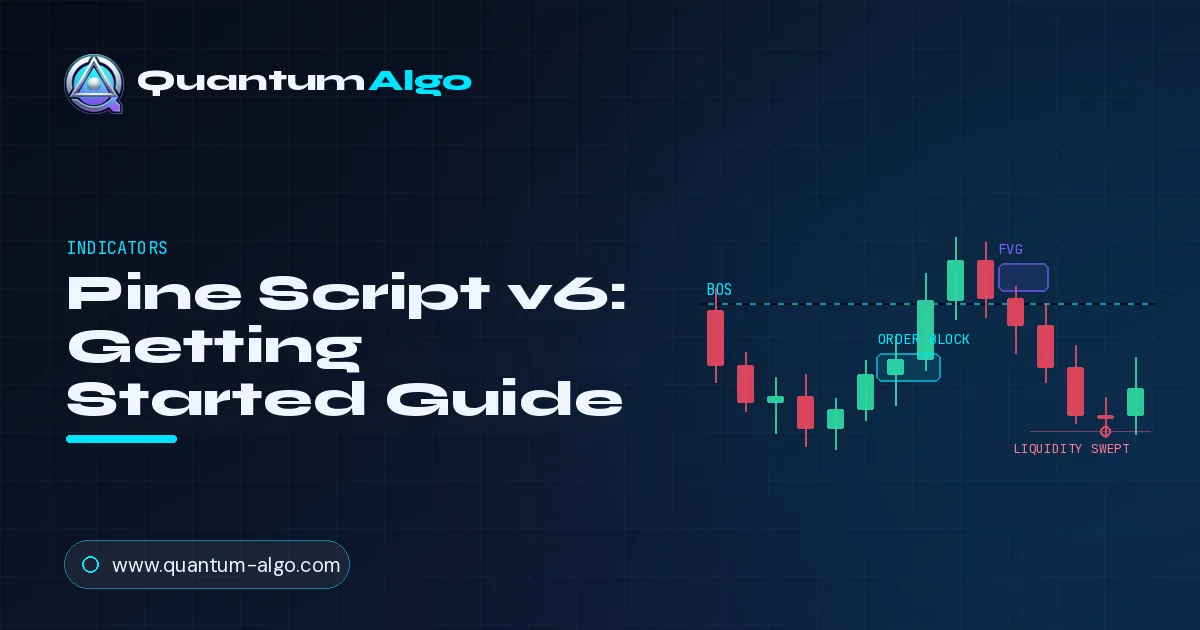
Pine Script v6 is the current version of TradingView's language for custom indicators and strategies; every script starts with the //@version=6 directive followed by an indicator() declaration. Compared with v5 it enforces a stricter type system, runs faster, handles request.security() more safely and adds new built-in functions, so most migration errors are type mismatches fixed with int() or float() casts.
What is Pine Script?
Pine Script is TradingView's domain-specific language for writing custom technical indicators and strategies that run inside TradingView's chart engine. It is not a general-purpose programming language — every script runs once per bar across the chart's history, with state managed implicitly through the bar series. If you've never used it before, the mental model takes about a day; the gotchas take about a year.
Version 6, released in November 2024, is the current production version. Versions 4 and 5 still work but are no longer the default for new scripts.
How do you write your first v6 script?
Every Pine Script starts with a version directive on line 1. To create a v6 indicator:
//@version=6
indicator("My First v6 Indicator", overlay=true)

// Plot the close price as a line on the chart
plot(close, color=color.new(color.aqua, 0), linewidth=2)
Save this in TradingView's Pine Editor and add it to the chart. You'll see the close price plotted as a cyan line. Three things to notice: the //@version=6 directive is mandatory and must be the first non-empty line; indicator() is the declaration that defines whether your script is an indicator (overlay or pane) or a strategy (with simulated trades); and overlay=true means the script draws on top of the price chart rather than in a separate pane below.
What changed from v5 to v6
1. Stricter type system
The single biggest change. v6 enforces type checking that v5 either ignored or handled silently. The most common case: v5 would let you pass a series int where a simple int was expected and silently demote it. v6 will throw an error at compile time.
Practical consequence: when you migrate a v5 script and it suddenly won't compile, the error is almost always a type mismatch in a function argument. The fix is usually to wrap the value in int(), float(), or use the appropriate built-in to coerce types explicitly.
2. Faster runtime
v6 introduced compiler optimizations that materially improve execution speed for most scripts. The improvements are most visible on scripts with heavy request.security() usage (multi-timeframe analysis), array manipulation, or matrix operations. Simple plot-and-color scripts won't see a meaningful difference.
3. Improved request.security() behavior
The function for requesting data from a different timeframe got cleaner argument handling and better protection against the historical "lookahead bias" footgun. The classic v4/v5 mistake — using lookahead=barmerge.lookahead_on without understanding the consequences — now triggers a clearer warning when the script is published.
4. New built-in functions
Several utility functions that previously required manual implementation are now built in. Notable additions: improved string formatting, better matrix slicing, and convenience methods on the array type that reduce boilerplate.
Which Pine Script patterns matter for SMC indicators?
If you're writing Smart Money Concepts indicators (order blocks, FVGs, BOS detection, liquidity sweeps), three Pine Script patterns come up constantly. Master these and you can build most of what's in commercial SMC suites.
Pattern 1: How do you detect swing highs and lows?
The foundation of every market-structure indicator. Use ta.pivothigh() and ta.pivotlow() with a left/right bar window:
//@version=6
indicator("Swing Detection", overlay=true)

length = input.int(5, "Pivot Length", minval=1)

ph = ta.pivothigh(high, length, length)
pl = ta.pivotlow(low, length, length)

// Plot circles at confirmed swing points
plotshape(not na(ph), location=location.abovebar,
          style=shape.circle, color=color.red, size=size.tiny)
plotshape(not na(pl), location=location.belowbar,
          style=shape.circle, color=color.green, size=size.tiny)
Note: pivots are confirmed length bars after they form. This is a non-repainting confirmation — once printed, the pivot doesn't move. The trade-off is latency: you only know the pivot exists 5 bars later (with length=5).
Pattern 2: How do you draw boxes for order blocks and FVGs?
Use the box.new() built-in to draw rectangles. Boxes can be updated, extended right as new bars print, or deleted when invalidated:
//@version=6
indicator("Bullish FVG Detector", overlay=true, max_boxes_count=500)

// Bullish FVG: low of current bar > high of bar 2 ago
fvg_top = low
fvg_bot = high[2]
isFVG = fvg_top > fvg_bot

if isFVG
    box.new(left=bar_index[2], top=fvg_top, right=bar_index, bottom=fvg_bot,
            bgcolor=color.new(color.green, 80),
            border_color=color.new(color.green, 50))
Two things bite first-time developers here. First, max_boxes_count defaults to 50 — bump it for any indicator that draws zones across long histories. Second, boxes are drawn at compile time per bar; if you draw a box on every bar without conditional logic, you'll exhaust the limit fast.
Pattern 3: tracking state across bars (the var keyword)
Pine Script runs your code once per bar, but you often need state that persists. The var keyword declares a variable that initializes once and persists across bar executions:
//@version=6
indicator("BOS Tracker", overlay=true)

// Persistent state: track the last confirmed swing high
var float lastSwingHigh = na

// Update when a new pivot high is confirmed
ph = ta.pivothigh(high, 5, 5)
if not na(ph)
    lastSwingHigh := ph

// Detect BOS: close above the last swing high
isBOS = not na(lastSwingHigh) and close > lastSwingHigh

if isBOS
    label.new(bar_index, high, "BOS",
              color=color.new(color.green, 0), textcolor=color.white)
Without var, the variable would reset on every bar. With var, the value persists. This is the foundational pattern for any indicator that needs memory of past events — every BOS detector, MSS detector, mitigation tracker, and order-block aging system uses this pattern under the hood.
What pitfalls catch first-time Pine Script developers?
lookahead=barmerge.lookahead_on in request.security() calls or using future-looking constructs like ta.pivothigh() without accounting for the bar-confirmation delay. If your indicator's signals look perfect on historical data, suspect repainting first.
format.mintick for price labels. Hardcoded decimal precision breaks when the script is applied to instruments with different tick sizes (BTC vs EURUSD vs ES). Use str.tostring(price, format.mintick) for any price displayed in labels or alerts.
max_lines_count, max_boxes_count, etc. in the indicator() declaration explicitly when you need more.
= for first-assignment and := for reassignment. x = 5 in two places creates two scoped variables. x := 5 reassigns an existing one. Mix them up and you'll spend an hour debugging values that won't update.
Pine Script v6 building blocks at a glance
| Task | Built-in | What it does | Watch out for |
|---|---|---|---|
| Swing highs and lows | ta.pivothigh() / ta.pivotlow() | Confirms pivots using a left/right bar window | Only confirmed 'length' bars after the pivot |
| Order block and FVG zones | box.new() | Draws rectangles you can extend or delete | Default 50 boxes; raise max_boxes_count (max 500) |
| State across bars | var keyword | Initializes once and keeps its value | Reassign with :=, not = |
| Higher-timeframe data | request.security() | Requests data from another timeframe | lookahead_on can leak future data and repaint |
| Price labels | str.tostring(price, format.mintick) | Formats prices to the symbol's tick size | Hardcoded decimals break across instruments |
◆Every script must start with the //@version=6 directive on its first non-empty line.
How do you publish a script on TradingView?
Once your script works, you can publish it to TradingView's Public Library — either as open-source (anyone can read and copy the code) or invite-only (you control access). Both options reach TradingView's user base; open-source publications are reviewed against the House Rules and ranked in the Editors' Picks pipeline if quality is high.
Three House Rules that catch new authors most often: don't include external promotional links in script titles or descriptions, don't use repainting techniques without disclosing them, and don't reference your brand inside the chart output (no logos, no watermark labels). The first two are technical; the third is enforcement-focused and trips up commercial publishers regularly.
Frequently asked questions
Do I need to migrate my v5 scripts to v6?
Existing v5 scripts continue to run on TradingView indefinitely — there's no forced sunset. Migration is recommended only when you need a v6-specific feature (improved type system, better performance, new built-ins) or when starting a new script from scratch. For published indicators, the migration cost is rarely worth the benefit unless you're actively maintaining the script.
What's the biggest breaking change in Pine Script v6?
The strengthened type system. v6 enforces stricter type checking — implicit conversions that worked silently in v5 will now throw errors. The most common migration issue is series-vs-simple type mismatches in function arguments that previously went undetected.
Is Pine Script v6 faster than v5?
Yes, on average. The v6 compiler does more aggressive optimization and has a faster execution runtime for most common patterns. The improvement is most noticeable on scripts with heavy array manipulation or many request.security calls.
Can I use v5 and v6 in the same script?
No. The version is declared at the top of the script (//@version=6 or //@version=5) and applies to the entire script. You cannot mix versions within a single indicator or strategy.
Where can I publish Pine Script v6 indicators?
TradingView's Public Library accepts both v5 and v6 scripts. Open-source scripts are reviewed by TradingView moderators against the House Rules — the same rules apply regardless of version. Closed-source (invite-only) scripts have less review overhead but cannot be promoted on the Public Library.
See production v6 indicators in action
Quantum Algo's free Neural Confluence Engine and the full Zeno suite are written in Pine Script v6. The free script is open-source — clone it, study it, modify it as a learning reference.
View on TradingView →